
SpeedTestry FAQs
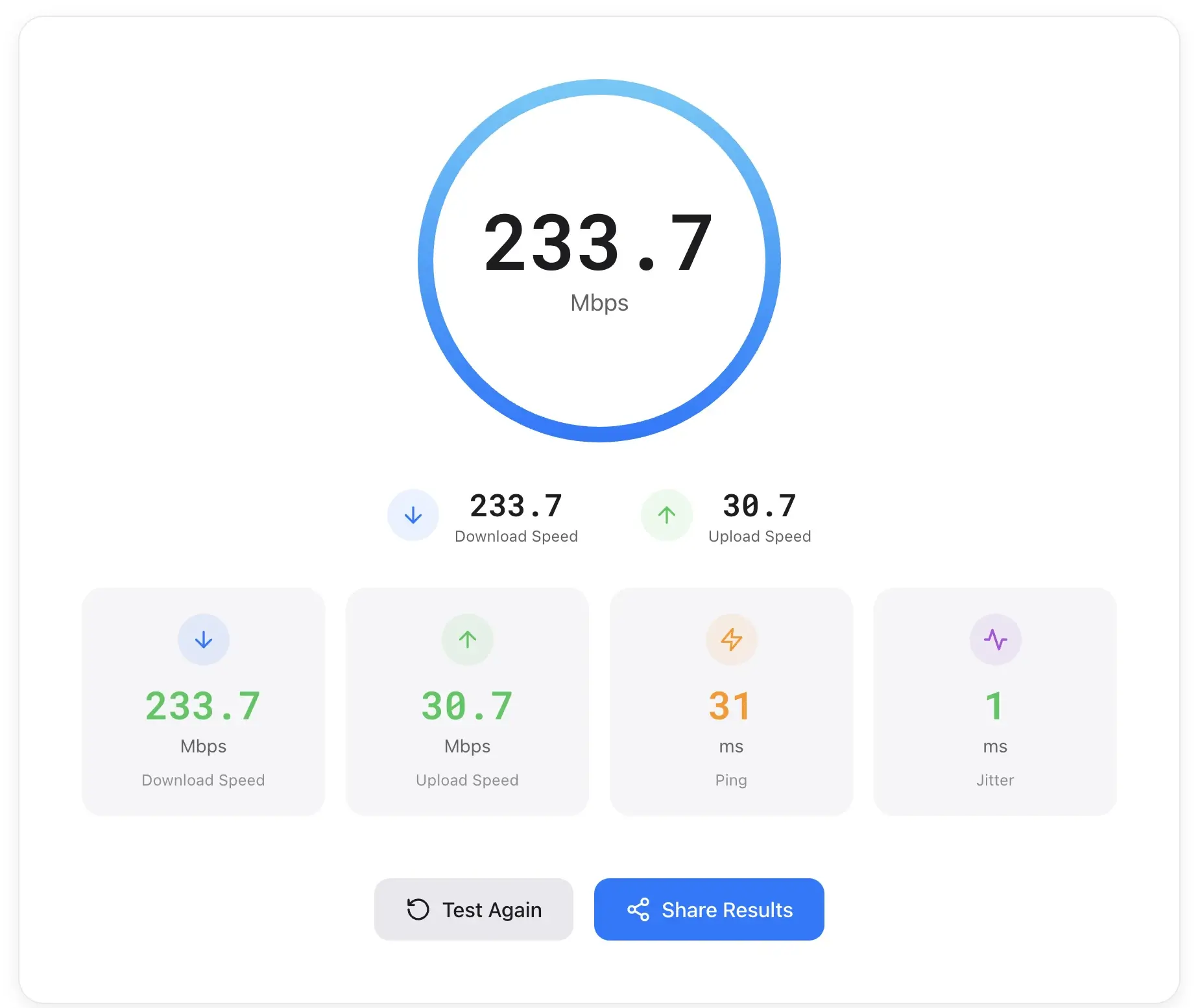
SpeedTestry provides fast and accurate internet connection speed testing, including download, upload, ping, and jitter analysis, with global servers and privacy protection.

FAQs of SpeedTestry
How accurate is this speed test?
SpeedTestry leverages a global server network powered by Cloudflare's edge network, aiming to provide accurate internet speed test results from various locations. The tool measures key metrics such as download speed, upload speed, ping, and jitter to offer a comprehensive assessment of your internet connection.
Why is my speed slower than what I'm paying for?
Several factors can contribute to internet speeds being slower than advertised, including network congestion, Wi-Fi interference, outdated modem/router hardware, or issues with your internet service provider (ISP). Running a speed test like SpeedTestry can help identify if your current performance deviates significantly from your subscribed plan.
What is a good internet speed?
What constitutes "good" internet speed largely depends on your online activities. For basic browsing and email, lower speeds might suffice. However, for 4K streaming, online gaming, video calls, and large file downloads, higher download and upload speeds, along with low ping and jitter, are generally considered ideal for optimal performance.
What's the difference between download and upload speed?
Download speed measures how quickly data is received by your device from the internet, crucial for streaming and web browsing. Upload speed, conversely, measures how fast data can be sent from your device to the internet, which is vital for video calls, cloud backups, and online content creation. SpeedTestry assesses both metrics.
Why does ping matter for gaming?
Ping measures the response time between your device and a server. In online gaming, lower ping (latency) is critical because it indicates a quicker response time, leading to less lag and a smoother, more responsive gaming experience. High ping can result in noticeable delays and competitive disadvantages during gameplay.
How often should I test my speed?
Testing your internet speed with tools like SpeedTestry regularly, such as once a month or whenever you experience performance issues, can help monitor your connection's consistency. This also allows you to gather data if you need to troubleshoot problems with your internet service provider or ensure you are getting the speed you pay for.
What connection information does SpeedTestry provide?
SpeedTestry provides detailed connection information including your IP address, general location (e.g., United States), the device type used (e.g., Desktop), browser version (e.g., Chrome 126.0.0.0), operating system (e.g., Linux), and CPU architecture (e.g., amd64). This data aids in understanding the testing environment.
How does SpeedTestry protect user privacy?
SpeedTestry prioritizes user privacy by stating that no personal data is stored. Your internet speed test results are kept private and are explicitly not shared with any third parties. This commitment ensures that users can test their internet speed without concerns about data dissemination.
How to use SpeedTestry
SpeedTestry provides comprehensive internet speed test functionality, enabling users to assess download speed, upload speed, ping, and jitter. This tool helps evaluate internet connection quality for various online activities.
- Navigate to the SpeedTestry website to begin your internet speed test.
- Locate the "Start Test" button on the main page to initiate the diagnostic process.
- Observe the real-time measurement of your download speed, indicated in Mbps.
- Monitor the upload speed measurement, which quantifies your data transmission rate.
- Review the ping and jitter results, crucial metrics for connection responsiveness and stability.
- Interpret the displayed "Speed Rating" to understand your connection's overall performance.
- Examine the connection information, including IP address, location, and device details.
- Utilize these speed test results to identify potential network issues or assess service provider performance.
