
Pieces for Developers FAQs
Get real-time assistance with your coding tasks and streamline your workflow with Pieces Copilot+. Ask questions, resolve coding issues, and access online research all in one place.

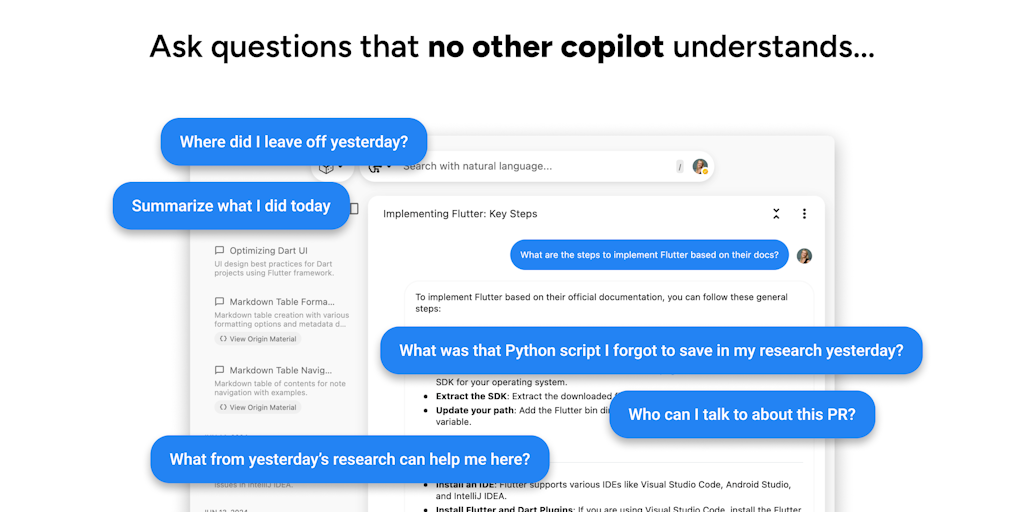
FAQs of Pieces for Developers
What is Pieces for Developers?
Pieces for Developers is an AI-powered tool that helps developers streamline their workflows, capture and enrich information, and improve collaboration. It's like having a copilot on your device that assists you with various tasks, making you more efficient and productive.
How do I use Pieces for Developers?
Pieces for Developers integrates with your existing toolchain, so you can use it alongside your preferred tools and services. You can easily capture information from various sources, including websites, documents, and conversations, and then use Pieces to organize, summarize, and enrich it.
How does Pieces for Developers benefit me?
By leveraging the power of AI, Pieces for Developers helps you:
- Capture and organize information from multiple sources: No more switching between different tabs or applications to collect data. You can capture anything from a website to a conversation and have it automatically organized in Pieces.
- Enhance and enrich your captured information: Pieces can summarize text, translate languages, generate different types of content (like code snippets, project plans, or even meeting notes), and even extract key information from the captured data.
- Improve collaboration with your team: Pieces allows you to share and collaborate on your captured information with your team members. This makes it easier to work together on projects, even if you're not in the same location.
What makes Pieces for Developers different from other similar tools?
Pieces for Developers is unique because it integrates directly with your workflow. It's designed to be used alongside your existing tools and services, making it easy to adopt and use. Plus, it's built with AI, so it can help you with a wider range of tasks, from capturing and organizing information to generating different types of content.
How can I learn more about Pieces for Developers?
You can learn more about Pieces for Developers by visiting their website or joining their community on Discord or Twitter.
How to use Pieces for Developers
Pieces for Developers is an AI-powered tool designed to capture, preserve, and resurface developer workflow details, helping developers to stay in flow and boost productivity. Pieces integrates across various workstreams and LLMs.
Download Pieces for Developers from the Pieces website for your operating system: Windows, macOS, or Linux, choosing the version specific to your environment.
Install the Pieces application following the installation guide specific to your OS. Installation guides are available on the Pieces website under the "Docs" section.
Configure Pieces by connecting it to your preferred Large Language Model (LLM), selecting from leading cloud or local providers, or by using your own API key for customized integration.
Capture code snippets, files, documentation, and other work-related materials using Pieces to build a second brain for your code, facilitating reuse and improving code understanding.
Utilize the search functionality to quickly find saved code snippets and associated context. Pieces uses AI-tagging to categorize code, making search efficient.
Integrate Pieces with your IDE and other development tools via available plugins and extensions, such as the Pieces for Developers Chrome extension, to capture context from your browser.
Explore the Long-Term Memory (LTM-2) engine to get pinpoint accurate answers from your connected LLM, leveraging the captured context for improved code understanding and assistance.
Review the insights provided by Pieces regarding your workflow, identifying patterns and opportunities for optimization to improve your overall development efficiency and reduce wasted time.
Consider exploring the Pieces for Developers pricing tiers for potential premium features, ensuring your usage aligns with the available free tier or the capabilities of a paid subscription.
