
MapsScraperAI FAQs
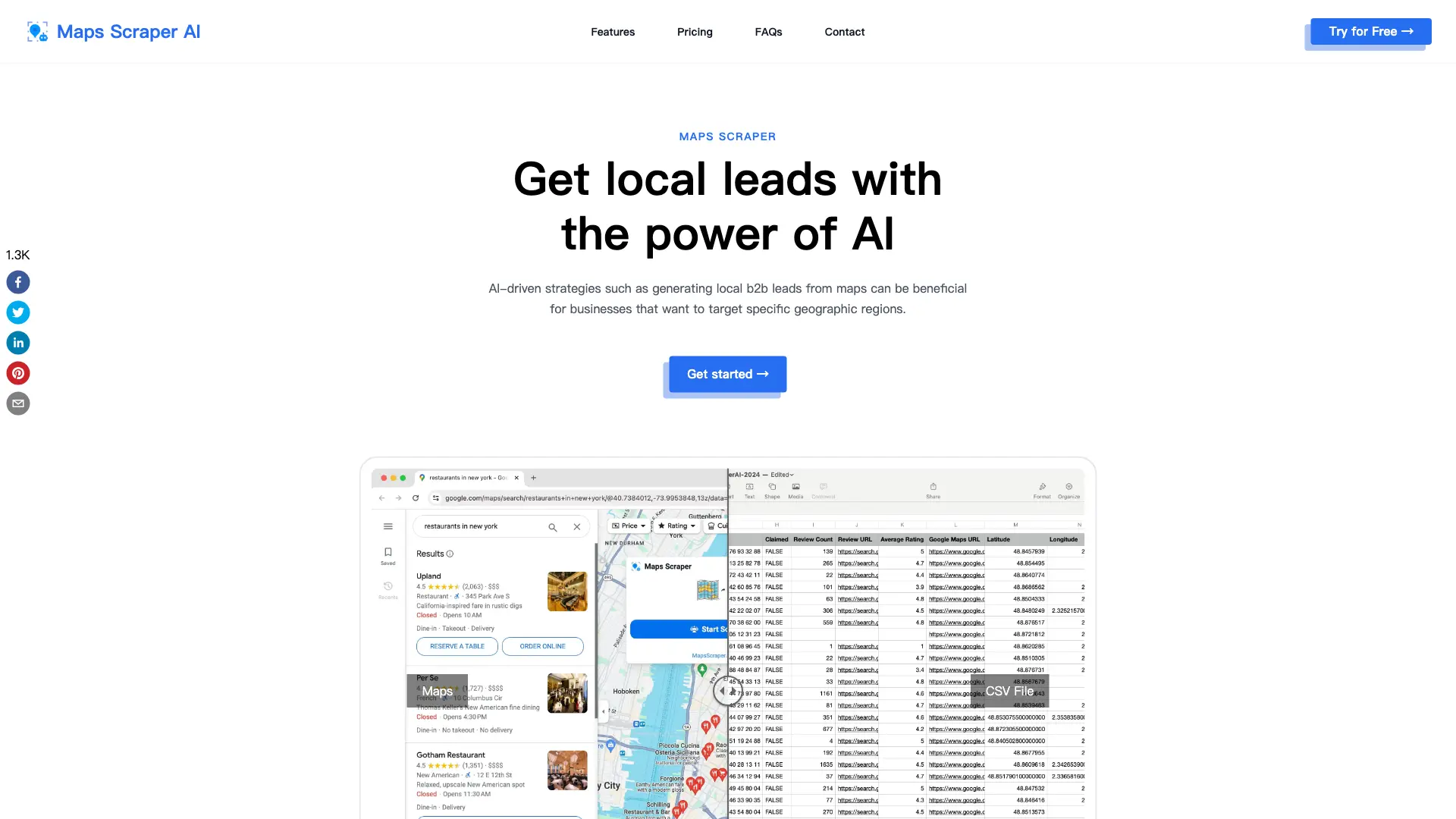
MapsScraperAI is a web scraping tool that automatically extracts verified leads from Google Maps, including business contact information, social media links, and reviews, helping businesses find potential customers and grow their network.

FAQs of MapsScraperAI
What is Maps Scraper?
Maps Scraper refers to tools that extract data from Maps, allowing users to gather information like business listings, addresses, phone numbers, reviews, and more associated with places and locations on Maps.
Legal Considerations for Scraping Maps
The provided information suggests that scraping public data from websites like Maps is legally protected under the First Amendment of the U.S. Constitution, as large search engines also collect data through scraping.
Why don't I get all the results when searching for a large region?
For large regions like the whole state, search for smaller areas like cities or ZIP codes instead. Search 'Los Angeles restaurants' rather than 'California restaurants' for example.
How do I cancel my subscription?
There you can cancel your current subscription. From within the app, go to the settings menu and click 'Manage Subscription'. Or contact customer support via email and request to cancel your subscription.
Can’t find the answer you’re looking for? Reach out to our customer support team.
Customer support team support@mapsscraper.ai
How to use MapsScraperAI
- Begin by installing the MapsScraperAI Chrome extension. This grants access to its Google Maps data extraction capabilities.
- Next, perform a Google Maps search; specify your target area and keywords for optimal lead generation.
- Open the MapsScraperAI extension and initiate the scraping process. The tool will then extract relevant data.
- Subsequently, export the collected data as a CSV or XLS file. This facilitates further analysis and use.
- Finally, analyze the exported data – encompassing business names, contact details, and other relevant information – to refine your marketing strategy.
