
ManyExcel
ManyExcel - Convert your text into spreadsheet formulas with AI
| Added on: | May 10, 2024 |
| Monthly Visits: | -- |
| Social & Email: | -- |

What is ManyExcel
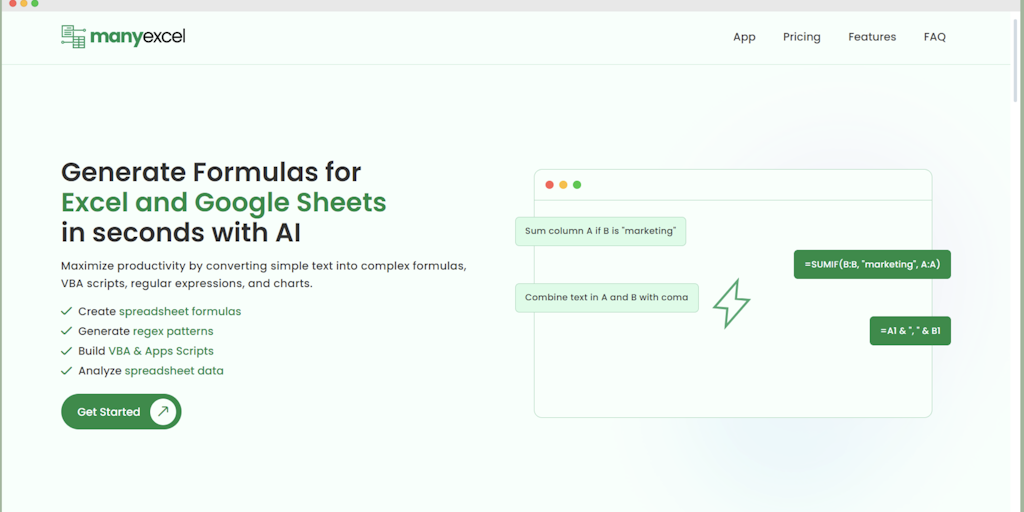
ManyExcel is a tool that helps you generate formulas for Excel and Google Sheets using AI. It's designed for anyone who uses spreadsheets, especially those who find creating formulas tedious or challenging. It can help you generate formulas quickly and accurately, even for complex tasks. One of ManyExcel’s key features is its ability to utilize regular expressions (regex) in formulas, allowing for more advanced manipulation of data. Additionally, it can create charts and graphs for your spreadsheets in seconds, saving you time and effort. If you are looking to maximize your productivity when working with Excel or Google Sheets, ManyExcel could be a valuable tool to explore. 😄
Core Features of ManyExcel
Generate Formulas for Excel and Google Sheets with AI
ManyExcel is an AI-powered tool that helps users generate formulas for Excel and Google Sheets. The tool can understand natural language requests and translate them into formulas. Users can use ManyExcel to generate formulas for various tasks, such as calculating sums, averages, and other statistical functions.
Utilize Regex Formulas
ManyExcel can also generate formulas that use regular expressions. This is helpful for tasks such as extracting specific data from text strings or cleaning data.
Generate Charts and Graphs
ManyExcel can generate charts and graphs for Excel and Google Sheets. Users can choose from a variety of chart types, such as bar charts, line charts, and pie charts.
Maximize your Productivity with ManyExcel
ManyExcel is designed to help users save time and improve their productivity. By automating the process of generating formulas, users can focus on other tasks.
FAQs of ManyExcel
What is ManyExcel?
ManyExcel is an AI-powered tool that helps you generate formulas for Excel and Google Sheets. It uses natural language processing to understand your requests and generate the correct formula. You can also use ManyExcel to create charts and graphs.
How do I use ManyExcel?
You can use ManyExcel by entering your request in the text box on the website. For example, you could type "Create a formula to calculate the average of the values in cells A1 to A10". ManyExcel will then generate the correct formula for you.
What are some of the benefits of using ManyExcel?
ManyExcel can help you save time and effort when creating formulas for Excel and Google Sheets. It can also help you avoid errors by ensuring that your formulas are correct.
How does ManyExcel compare to other similar tools?
ManyExcel is unique because it uses natural language processing to understand your requests. This means that you can use plain English to describe what you want to achieve, and ManyExcel will take care of the rest. Other similar tools may require you to learn specific syntax or commands.
What types of formulas can ManyExcel generate?
ManyExcel can generate a wide variety of formulas, including those for calculating sums, averages, standard deviations, and more. You can also use ManyExcel to generate formulas for working with dates, times, and text.
Can I use ManyExcel for free?
ManyExcel offers a free trial, but you will need to subscribe to use the full features of the tool.
What are some examples of how ManyExcel can be used?
ManyExcel can be used in a variety of ways, such as:
- Creating formulas for financial analysis
- Generating reports for your business
- Creating charts and graphs for presentations
- Automating tasks in Excel and Google Sheets
What are the limitations of ManyExcel?
ManyExcel is still in development, so it may not be able to generate all types of formulas. You may also need to provide additional information to ensure that ManyExcel understands your request.
ManyExcel Alternatives
XuanSeal is an online Chinese astrology tool that offers free BaZi (Four Pillars) charts, Day Master analysis, zodiac forecasts and compatibility reports, using AI to deliver personalized insights for astrology, tarot and numerology enthusiasts.
SenseNova U1 is an AI‑powered visual content creator for designers, educators and marketers, offering text‑to‑image generation, infographic design, prompt‑based image editing, visual Q&A and interleaved image‑text storytelling.

OpenFate AI Bazi is an online Bazi calculator and AI reading service that generates a free Four Pillars chart, analyzes Day Master, Ten Gods and Luck Pillars, and provides career, wealth and relationship timing insights in plain English.
AstroChart is a free online astrology tool that generates personalized astrocartography maps using Swiss Ephemeris; users enter birth data to locate optimal places for love, career and personal growth.
ShunShi AI, an online BaZi chart service, helps individuals seeking personalized destiny insights by combining NOAA-based true solar time, deep‑learning AI interpretation of Chinese metaphysics, and annual forecasts for career, wealth and relationships.
Cantian AI combines traditional BaZi metaphysics with advanced AI to provide personalized destiny insights into love, wealth, and career through intelligent analysis and trend forecasting.
Aduvera is an AI medical scribe that ambiently listens to visits and drafts EHR-ready clinical notes, helping clinicians save time and reduce burnout.
Fusedash is an AI data visualization platform for teams to build dashboards, charts, and reports from CSVs and APIs, with maps, storytelling, and data chat.
GenPPT's AI converts Excel spreadsheets to PowerPoint presentations with automated data visualization and fully editable slides.
SciDraw is an AI-powered tool for scientists to generate publication-ready illustrations and charts from text or data, featuring journal presets and SVG export.
Star Reading AI is a website that lets users input birth date, time, and location to generate AI‑driven horoscope charts, delivering quick astrological insights.
ChartGen AI is a free AI chart generator that lets users upload CSV or Excel files and, with a prompt, create bar, line, and pie charts.