
DemoBook: AI Tools Directory with Real Video Demos

What is DemoBook
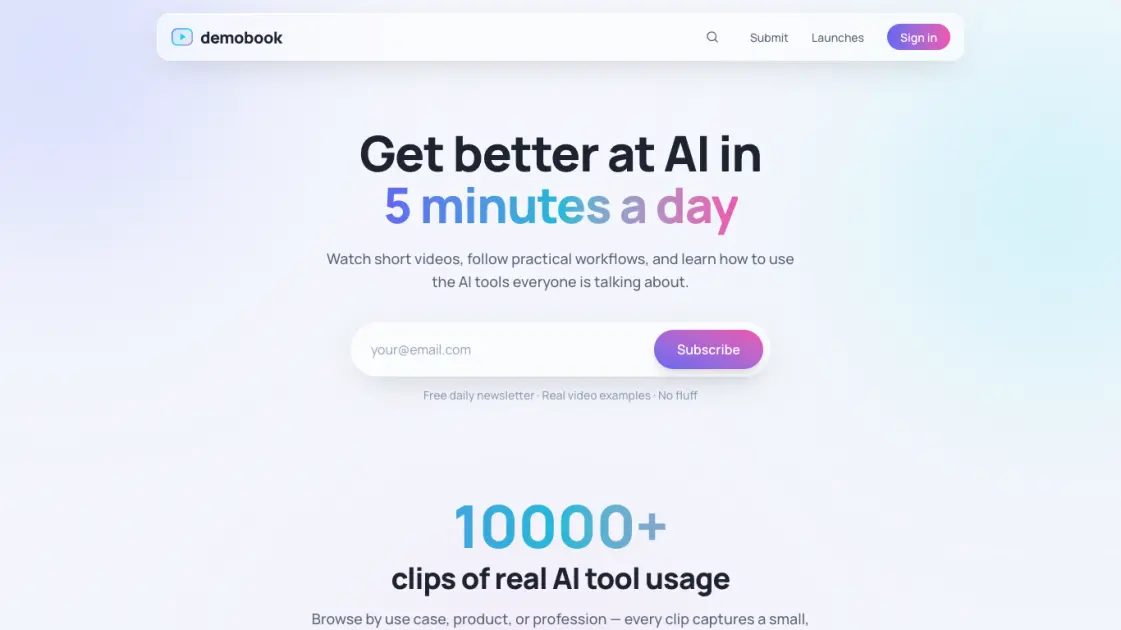
DemoBook operates as a video-first directory for AI tools, hosting over 10,000 short clips that show actual usage rather than marketing screenshots. The platform organizes demos by use case, product name, and professional role, letting visitors see how tools like ComfyUI, Higgsfield, or Adobe Audition perform in real workflows. New AI launches are tracked daily and surfaced through a free newsletter that reaches more than 3,000 subscribers. Categories such as AI Video Editor (1,100 demos), AI Audio Editor (482 demos), and Image to Video (472 demos) reflect where creators currently spend time. The service is free, supported by an email contact at artur@demobook.co, with no social media presence or paid tiers. For anyone evaluating AI tools, DemoBook replaces speculation with observable behavior — watch a 30-second clip, decide if the tool fits, move on.
How does DemoBook work
DemoBook presents over 10,000 short video demonstrations of AI tools organized by use case, product, and profession, allowing users to watch real usage clips and follow practical workflows without authentication. The platform tracks new AI product launches and surfaces notable additions, with a dedicated launches section highlighting recent releases. Users browse categories such as AI video editing, audio editing, image-to-video, and text-to-image generation, filtering by specific tasks to compare tools side by side. A free daily newsletter delivers updates on new tools and demos. Video clips play directly on the site, and each entry links to the original tool website for further exploration.
Benefits of DemoBook
DemoBook reduces evaluation time by replacing trial-and-error testing with curated video walkthroughs showing actual workflows, letting professionals compare alternatives for video editing, audio cleanup, or image generation in minutes. The taxonomy organized by use case and profession helps users discover relevant tools without knowing product names. Free access and a daily newsletter lower the barrier to staying current with new launches, while the community of over 3,000 members provides implicit validation through usage patterns. The main limitation is reliance on existing demo availability; tools without public video coverage remain invisible, and embedded clips may not reflect the latest software versions.
Pros and Cons of DemoBook
Pros
- Over 10,000 real AI tool video demos available
- Browse demos by use case, product, or profession
- Free daily newsletter tracks new AI tool launches
- No paywall or subscription required for access
- Trending tools like ComfyUI and Higgsfield featured
Cons
- No community features such as comments or discussions
- No API or integration options for developers
- Email contact only with no social media presence
- Unclear long-term pricing model despite current free access
- No user profiles or personalized recommendations
Core Features of DemoBook
10,000+ real AI tool video demos
Short clips show actual tool usage across categories, replacing marketing claims with observable behavior for faster evaluation.
Browse by use case, product, and profession
Three navigation axes let visitors filter demos by workflow (video editing, audio), specific tool (ComfyUI, CapCut), or role (designer, marketer).
Daily AI launch tracking
New tools are added each day, keeping the directory current with the latest releases without manual searching.
Free daily newsletter
Curated digest of new demos and launches delivered to 3,000+ subscribers, no fluff, no paid tiers.
Popular use case collections
Pre-grouped demo sets for AI Video Editor (1,100), AI Audio Editor (482), Image to Video (472), and other high-demand workflows.
Trending tool coverage
Demos for ComfyUI, Higgsfield, Adobe Audition, DaVinci Resolve, OpenArt, CapCut, Clipchamp, Google Vids, and other actively discussed tools.
Completely free access
No paywalls, subscriptions, or account requirements — all demos and the newsletter remain free with email-only contact.
Use Cases of DemoBook
- AI video editors: find practical workflows for tools like DaVinci Resolve, CapCut, and Google Vids
- Content creators: discover trending AI tools for video, audio, and image generation across 1,100+ video demos
- Developers and researchers: explore ComfyUI, Higgsfield, and other technical AI tools through real usage clips
- Marketing professionals: learn AI-powered content creation workflows for campaigns and social media
- Designers: evaluate AI image generators, inpainting tools, and text-to-image models before adoption
FAQs of DemoBook
What is DemoBook and who is it for
DemoBook is an AI tools directory featuring over 10,000 video demonstrations of real AI tool usage. It serves developers, designers, marketers, and professionals who want to evaluate AI tools by watching practical workflows before committing time to learn them.
How does DemoBook differ from other AI tool directories
Unlike text-based directories, DemoBook provides short video clips showing actual tool usage across use cases like AI video editing, audio editing, image generation, and text-to-video workflows. The platform organizes demos by profession and use case rather than just categories.
Is DemoBook free to use
Yes, DemoBook is completely free with no paid tier mentioned. Users can browse all 10,000+ video demos, access the daily newsletter covering new AI launches, and explore trending tools without any subscription or account requirement.
How often is new content added to DemoBook
New AI tool launches are tracked daily and the launches page shows weekly updates. The platform maintains a community of over 3,000 members and continuously adds demos for tools like ComfyUI, Higgsfield, Adobe Audition, DaVinci Resolve, and emerging AI video generators.
Can I submit my own AI tool to DemoBook
The platform tracks new AI product launches automatically through its launches page. For direct submissions or inquiries, contact is available only via email at artur@demobook.co as no social media links or submission forms are provided on the site.
What are the most popular use cases on DemoBook
Top use cases include AI Video Editor with 1,100 demos, AI Audio Editor with 482 demos, Image to Video with 472 demos, AI Image Generator with 370 demos, Text to Video with 293 demos, Text to Image with 285 demos, and AI Inpainting with 191 demos.
How can I stay updated on new AI tools through DemoBook
Subscribe to the free daily newsletter on the homepage to receive curated updates on new AI tool launches. The launches page also provides a weekly view of new products, and the trending tools section highlights currently popular options like OpenArt, CapCut, Clipchamp, and Google Vids.
How to use DemoBook
- Visit demobook.co and browse the homepage to explore trending AI tools and popular use cases without creating an account
- Browse by use case such as AI Video Editor, AI Audio Editor, or Image to Video to find relevant video demonstrations for your needs
- Click any video demo to watch a short practical clip showing real usage of the AI tool in a typical workflow scenario
- Browse the launches page to discover newly released AI tools organized by week with direct links to product pages
- Subscribe to the free daily newsletter by entering your email on the homepage to receive curated new AI tool updates
- Filter demos by profession or product category to find tools tailored to your role whether developer, designer, or marketer
- Watch multiple demos for the same use case to compare different AI tools before deciding which one to try yourself
- Review the trending tools section featuring ComfyUI, Higgsfield, Adobe Audition, and other popular options the community is testing
- Contact the team via artur@demobook.co if you have questions about specific tools or want to suggest new additions
