
Coda One
Coda One offers free AI writing and developer tools.

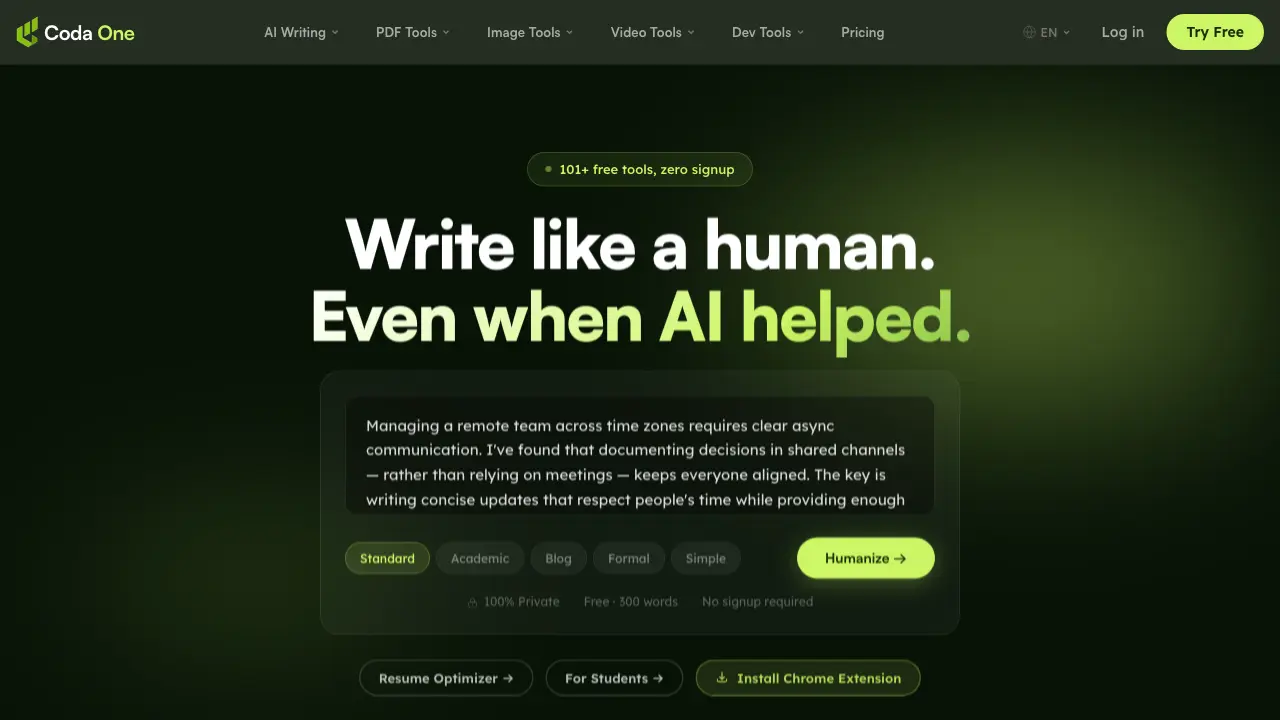
What is Coda One
Coda One is an all-in-one platform offering over 100 free, browser-based AI tools for writing, PDF editing, image processing, and development tasks. The platform emphasizes privacy and convenience, with all tools running locally in the browser via WebAssembly, ensuring that user data never leaves the device. Key features include AI Humanizer, which transforms AI-generated text into natural, human-sounding content that bypasses major detection systems, and AI Detector, a free tool for checking text for AI patterns. Additional tools cover PDF manipulation, image editing, and developer utilities like JSON formatting and JWT decoding. Coda One provides unlimited use of PDF and image tools, with AI writing tools offering three free uses per day without requiring signup. The platform is designed to be a comprehensive, user-friendly toolkit that respects user privacy and eliminates the need for multiple specialized applications.
How does Coda One work
Coda One operates as a comprehensive online platform offering a suite of over 100 free AI-powered tools categorized into AI writing, PDF processing, image editing, and developer utilities. The platform leverages browser-based processing, primarily using WebAssembly, to ensure that user files and data remain private and never leave the device. Key features include AI humanizer and detector tools for transforming and analyzing text, alongside free PDF and image tools that support unlimited usage without watermarks or signup requirements. Users can access tools directly without registration, though premium subscriptions unlock higher usage limits and additional writing modes. The platform emphasizes simplicity, privacy, and accessibility, providing a centralized toolkit for diverse digital tasks.
Benefits of Coda One
Coda One offers a comprehensive suite of over 101 free AI-powered tools, providing a versatile solution for writing, PDF editing, image manipulation, and development tasks. Its flagship AI Humanizer transforms AI-generated text into natural, human-sounding content, bypassing major detection systems while preserving meaning. The platform prioritizes user privacy with browser-based processing, ensuring files never leave your device. All PDF and image tools are unlimited and free, with no signup required. Coda One's integrated approach eliminates the need to switch between multiple websites, offering a streamlined experience for individual creators and professionals alike, with options to upgrade for enhanced features and higher usage limits.
Pros and Cons of Coda One
Pros
- Offers 101+ free tools.
- Browser-based processing ensures privacy.
- No signup required for most tools.
Cons
- Limited to 3 free AI writing uses per day.
- Lacks advanced features in some tools.
- No mobile app available.
Core Features of Coda One
AI Humanizer
Transforms AI-generated text into natural, human-sounding content that bypasses major detectors. Offers 9 writing modes while preserving original meaning.
AI Detector
Checks text for AI patterns using statistical models. Provides instant, unlimited analysis without requiring signup or API costs.
AI Rewriter
Paraphrases content in 8 different modes. Helps restructure text while maintaining the core message and improving readability.
PDF Tools
Provides 12 browser-based tools for merging, splitting, compressing, and converting PDFs. Processes files locally without server uploads.
Image Tools
Offers 9 tools for compressing, resizing, removing backgrounds, and converting images. All processing happens in-browser for privacy.
Video Tools
Includes subtitle generation, audio-to-text conversion, YouTube summarization, and video compression. Helps with video content management and accessibility.
Developer Tools
Features 14 tools including CSV/JSON conversion, JWT decoding, timestamp handling, and case conversion. All tools run locally in the browser.
Text to Speech
Converts written text into natural-sounding audio. Supports multiple languages and voices for accessibility and content creation.
Grammar Checker
Reviews text for grammatical errors, punctuation issues, and style improvements. Helps enhance writing quality and clarity.
Essay Writer
Assists in creating structured essays on various topics. Provides outlines, introductions, body paragraphs, and conclusions.
Resume Optimizer
Helps create professional resumes by suggesting improvements, formatting, and content optimization for better job application success.
Email Writer
Generates professional email drafts for various purposes. Includes templates for business communication, follow-ups, and formal correspondence.
Story Generator
Creates original stories based on prompts or themes. Helps with creative writing, brainstorming, and content ideation.
PDF to Word Converter
Converts PDF documents to editable Word format. Preserves formatting while enabling easy editing of converted content.
PDF to JPG Converter
Extracts pages from PDFs and saves them as high-quality JPG images. Useful for sharing specific content or creating image-based documents.
Compress PDF
Reduces PDF file sizes while maintaining quality. Optimizes documents for easier sharing and storage without significant quality loss.
Merge PDF
Combines multiple PDF files into a single document. Preserves the order and structure of merged content.
Split PDF
Divides PDF files into smaller sections based on pages or bookmarks. Helps organize large documents into manageable parts.
Remove Background
Automatically removes backgrounds from images using AI. Creates transparent or solid-color backgrounds for professional-looking results.
Image Compressor
Reduces image file sizes while maintaining visual quality. Optimizes images for web use and faster loading times.
Image to Text (OCR)
Extracts text from images using optical character recognition. Converts scanned documents, screenshots, and photos into editable text.
JSON Formatter
Formats and validates JSON data for better readability. Helps debug and structure JSON code for web development.
JWT Decoder
Decodes and verifies JSON Web Tokens. Helps understand token contents and validate authentication credentials.
CSV to JSON Converter
Converts CSV data to JSON format. Facilitates data migration and integration between different systems and applications.
Password Generator
Creates strong, random passwords for enhanced security. Generates passwords with customizable length and character requirements.
Use Cases of Coda One
- Students: Enhance academic writing by using AI Humanizer to make essays sound natural and bypass plagiarism detectors.
- Content Creators: Quickly transform AI-generated drafts into human-like text using multiple writing modes for different platforms.
- Developers: Utilize browser-based PDF and image tools to process files without uploading sensitive data to external servers.
- Researchers: Check AI-generated research summaries with the free AI Detector before submission to ensure originality.
- Remote Teams: Improve asynchronous communication by using AI tools to create clear, concise updates across time zones.
FAQs of Coda One
What is Coda One?
Coda One is a comprehensive suite of over 101 free AI-powered tools designed to assist with writing, PDF management, image editing, video processing, and development tasks. All tools are browser-based, ensuring your data remains private and secure without requiring any signup or installation.
How does the AI Humanizer tool work?
The AI Humanizer tool transforms AI-generated text into natural, human-sounding content that can bypass major AI detectors like GPTZero and Turnitin. It offers nine writing modes to match different contexts and preserves the original meaning while changing the writing style to sound more authentic.
Is Coda One really free to use?
Yes, Coda One offers many tools completely free with no signup required. PDF tools, image tools, and developer tools are unlimited and free forever. AI writing tools offer 3 free uses per day without requiring a credit card. Premium plans are available for users needing higher word limits or additional features.
How does Coda One protect my privacy?
Coda One prioritizes user privacy by processing all PDF and image tools directly in your browser using WebAssembly. Your files never touch their servers, ensuring complete data privacy. The platform requires no signup for most tools, and no data leaves your device during processing.
What types of tools are available on Coda One?
Coda One offers tools across four main categories: AI Writing (humanizer, detector, rewriter, grammar checker, summarizer), PDF Tools (merge, split, compress, convert), Image Tools (compress, remove background, resize), and Developer Tools (JSON formatter, JWT decoder, regex tester). They also offer video tools and specialized AI scenarios.
How to use Coda One
- Navigate to the Coda One website and locate the AI Humanizer tool in the AI Writing section.
- Copy and paste your AI-generated text into the provided text box on the Humanizer page.
- Select a writing mode that best suits your content, such as Standard, Academic, or Blog.
- Click the "Humanize" button to process your text; the tool will transform it to sound more natural.
- Review the humanized text output, which will be less detectable by AI detection tools.
- Use the AI Detector tool to verify the humanized text's detectability score, aiming for below 30%.
- If needed, adjust the writing mode or repeat the process until you achieve the desired human-like quality.
Coda One Website Traffic Analysis
Latest traffic information
- Monthly Visits122
- Bounce Rate33.07%
- Pages Per Visit1.05
- Visit Duration00:00:00
- Global Rank6.99M
- Country/Region Ranking--
Top Keywords
| Keyword | Traffic | Volume | Cost Per Click |
|---|---|---|---|
| make pdf from images without losing quality | 100 | -- | -- |
| best ai editor chat code | 80 | -- | -- |
| скилл sdd codex | 10 | -- | -- |
| grammarly online | -- | 10.94K | $1.34 |
| is filmora free | -- | 2.55K | $0.35 |
Coda One Alternatives
An AI humanizer that rewrites AI-drafted text into natural prose, trained on 2,590 real student essays, with a free detector to check the result.
Detect multi-accounting, account sharing and takeovers in web apps. ShieldLabs scores anonymous visitors with an explainable 0-100 risk score via API and webhooks.
Verla helps students generate essays, research papers, presentations, and code, run AI detection, and humanize writing to sound natural before submission.
Free AI content detector showing which passages read as AI. Evidence-based results with published accuracy benchmarks and privacy-first design.
AI image detector that cross-checks four independent detection models under a published weighted-vote rule. Graded conclusions, not fake percentages.
T-Checker delivers private Turnitin‑style plagiarism and AI writing reports for students, academics, and researchers, enabling quick fixes before submission.
TextToHuman is a free AI humanizer that rewrites ChatGPT, Gemini, and Claude output into natural, human‑like prose, bypassing AI detectors while preserving meaning.
GPTHumanizer is a free AI text humanizer that rewrites ChatGPT content into prose, aiding writers, marketers and bloggers to improve readability and authenticity.
MyDetector offers a free AI content detector that instantly analyzes ChatGPT, Gemini, Claude, delivering 99% accuracy for writers and educators to verify authenticity.

This free AI Humaniser instantly converts AI-generated text to human-quality content, bypassing detectors and improving readability and SEO without requiring a login.
BypassAny is an undetectable AI tool that transforms AI-generated text into human-like, plagiarism-free content, bypassing AI detection systems.
This AI-powered sentence rewriter helps users instantly paraphrase text, improve clarity, and create unique content online, offering various styles and tones.