
CiteTrue FAQs
CiteTrue is a free AI-powered citation verification tool that checks academic references for authenticity, scoring accuracy and flagging fake or AI-generated entries.

FAQs of CiteTrue
What is CiteTrue and how does it help academic research?
CiteTrue is an AI‑powered citation verification tool that scans citations against leading academic databases. It flags inaccurate or AI‑generated references, ensuring research integrity and preventing potential paper rejections.
How does the citation verifier cross‑reference citations?
The verifier uses advanced retrieval algorithms combined with state‑of‑the‑art AI language models. It checks author names, publication years, journal titles, and DOIs, then compares them to millions of scholarly records for authenticity.
Is CiteTrue free for students and researchers?
Yes, CiteTrue offers a completely free citation checker. Users can verify dozens or even hundreds of citations with a single click without any subscription or payment, making it an ideal alternative to paid citation tools.
Can I verify multiple citations at once?
Absolutely. CiteTrue’s interface accepts bulk uploads or pasted lists, allowing researchers to validate large batches of references quickly. The tool automatically formats each citation before verification for maximum accuracy.
What is the confidence score and how is it calculated?
The confidence score reflects the likelihood that a citation is authentic. It is derived from a proprietary scoring model that weighs factors such as database match rate, DOI validity, and citation consistency across sources.
How does CiteTrue handle incorrect or AI‑generated citations?
When a citation fails verification, CiteTrue highlights the discrepancy and provides suggested corrections or alternative sources. This feature helps users replace fake or inaccurate references before submission or review.
How to use CiteTrue
- CiteTrue (also known as citesure) is an AI‑powered citation verification tool that cross‑references citations against academic databases, providing authenticity scores and format corrections for.
- Navigate to https://citetrue.com/, click Login, and enter credentials or use single‑sign‑on to access the verification dashboard before starting your verification.
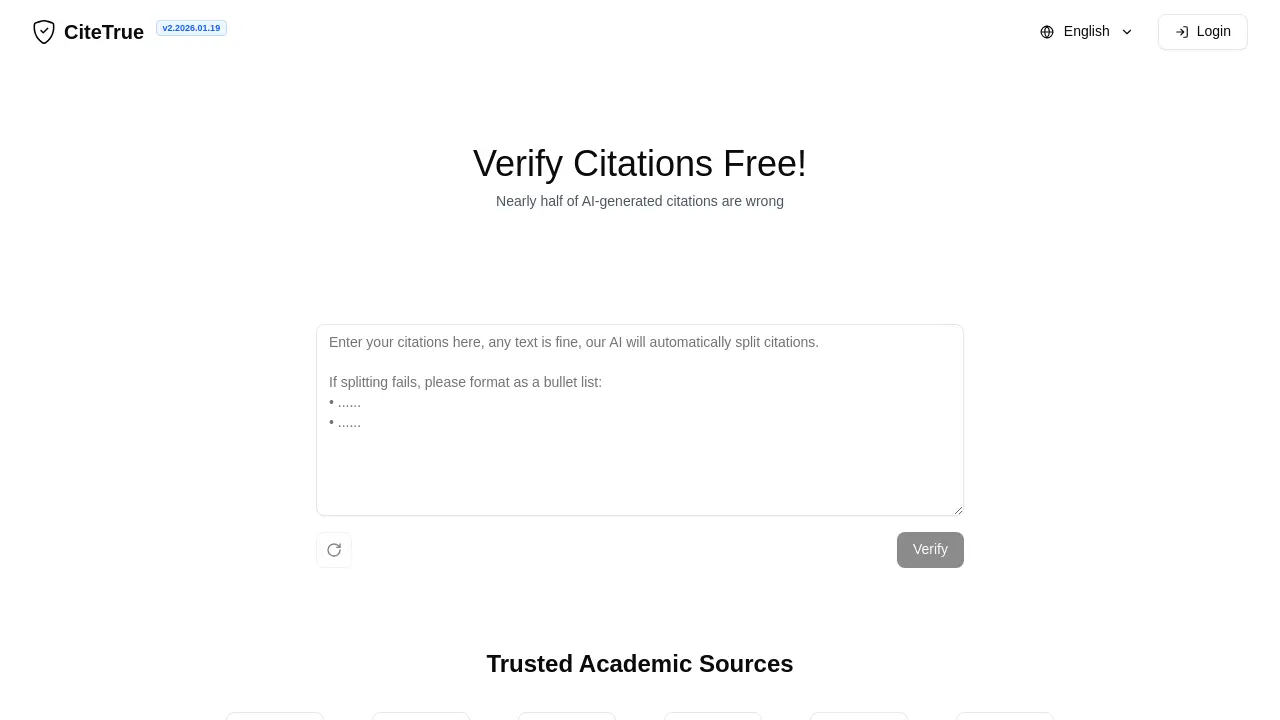
- Paste or upload a list of citations in the input box; the tool applies citesure free formatting before initiating the check. See Figure 1 for a screenshot of the input area.
- Click Verify; CiteTrue processes citations using retrieval algorithms and citesure AI models, returning a confidence score and flagged inaccuracies for each citation.
- Examine the table of citations, noting confidence percentages, citesure review suggestions, and any red‑flagged entries that may be fake or AI‑generated for your paper.
- A score above 80% indicates high authenticity; lower scores warrant citesure alternative free verification or source replacement to maintain academic integrity for your submission.
- Use the citesure.com-citesure-citation verification fixes, replace questionable sources, and re‑verify until all citations achieve acceptable confidence levels to ensure accuracy before submission.
