
AI Renamer FAQs
Rename your files intelligently using Ollama and LM Studio models. A Node.js CLI that uses AI to rename files based on their contents.

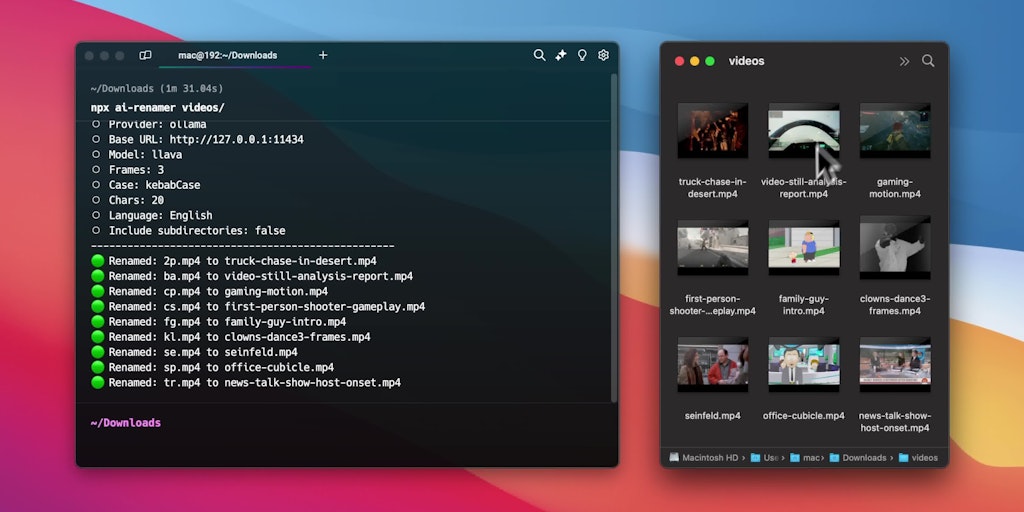
FAQs of AI Renamer
What is AI Renamer?
AI Renamer is a tool that helps you rename files based on their content. It uses large language models to understand the content of your files and suggest appropriate names.
How do I use AI Renamer?
You can use AI Renamer by installing it from npm and running it in your terminal. You can either provide the path to the files you want to rename, or you can drag and drop the files into the terminal window. You can customize how AI Renamer works by using different AI models and adjusting the parameters for the model.
What AI models can I use?
You can use a variety of AI models with AI Renamer. You can use the models available on Ollama and LM Studio.
What are the advantages of using AI Renamer?
AI Renamer can help you rename files more efficiently and accurately than manually renaming them. It can also help you to come up with better names for your files. You can save time and avoid the frustration of trying to rename files that are difficult to understand.
What are some limitations of AI Renamer?
It can be difficult to predict how AI Renamer will rename your files. If you are unsure about a suggested rename, you can always review it before accepting it. You should make sure to back up your files before using AI Renamer.
How to use AI Renamer
AI Renamer is a Node.js CLI tool using AI models to intelligently rename files based on their content. It supports Ollama, LM Studio, and OpenAI. It offers features for ai file renamer windows use.
First, install AI Renamer globally using
npm install -g ai-renamer. This allows you to run the tool from any directory.Ensure you have either Ollama or LM Studio installed, along with a compatible LLM like Llava. FFmpeg is required for renaming videos; download and install it.
To use Ollama, simply run
npx ai-renamer /path. The tool attempts to auto-select Llava; specify the model using--modelif needed.For LM Studio, specify the provider with
npx ai-renamer /path --provider=lm-studio. The tool will use the currently loaded model in LM Studio.For OpenAI, use
npx ai-renamer /path --provider=openai --api-key=YOUR_API_KEY. The tool defaults to gpt-4o but allows specifying other models.Customize ports for Ollama or LM Studio using the
--base-urlparameter. For example:npx ai-renamer /path --provider=ollama --base-url=http://127.0.0.1:11434.The ai renamer saves flag values to
~/ai-renamer.json. Subsequent runs will use these saved configurations, simplifying future AI image renamer operations.Utilize parameters such as
--case,--chars, and--languageto control the naming style, maximum filename length, and output language for AI PDF renamer tasks.Use
--custom-promptto add a specific instruction to the LLM. For instance:npx ai-renamer /path --custom-prompt="Only describe the background".Interpret the results by examining the new filenames generated by the AI. Ensure they accurately reflect the file content using the AI screenshot renamer features.
