
Image Ally: AI Image Metadata for WordPress
| Added on: | Sep 16, 2024 |
| Monthly Visits: | -- |
| Social & Email: | -- |

What is Image Ally
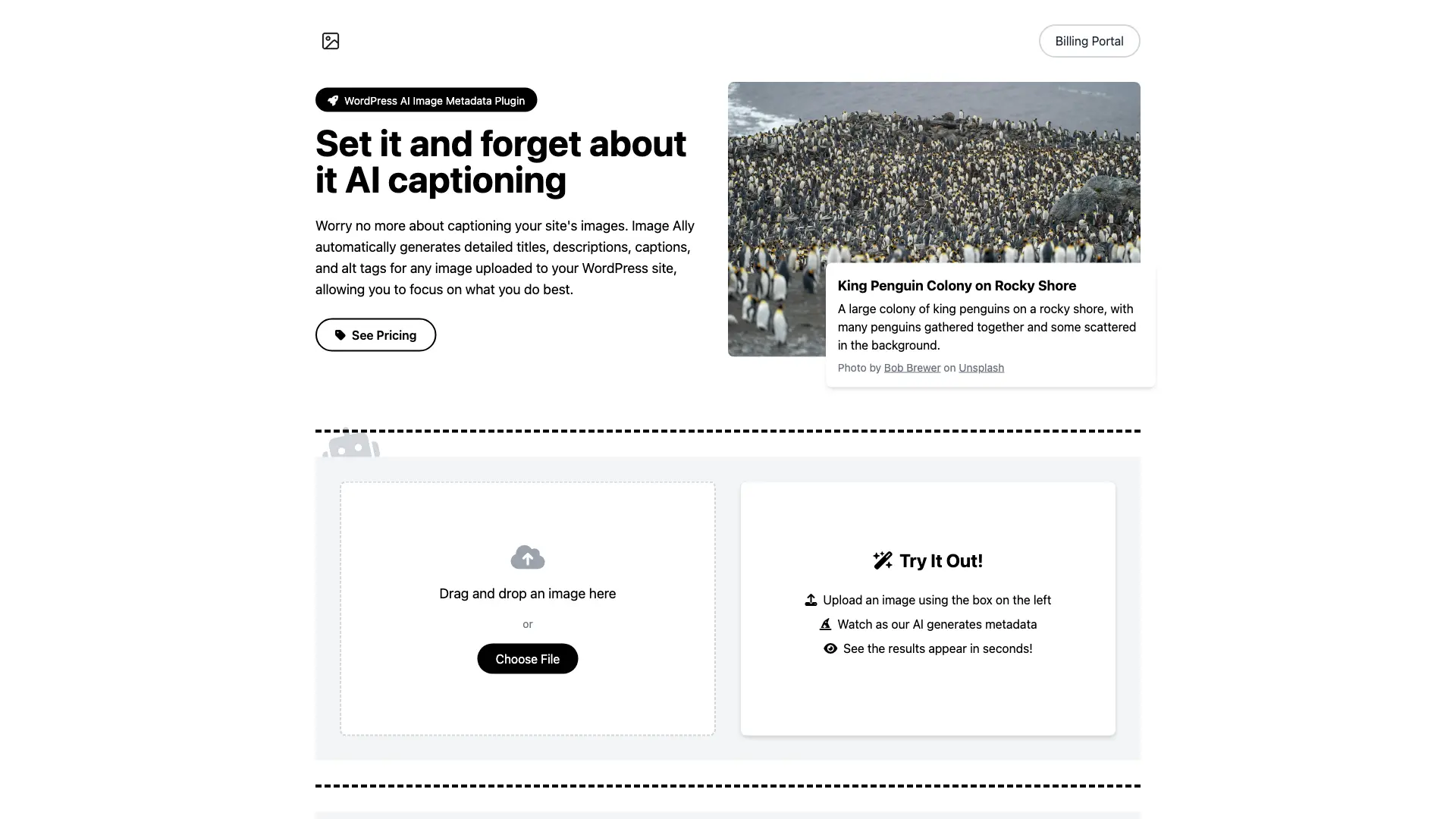
Image Ally is a WordPress plugin that uses AI to automatically generate image metadata, including titles, descriptions, captions, and alt text. This saves you time and effort, and helps improve your website's SEO and accessibility. Image Ally integrates seamlessly with WordPress's media library, working in the background to generate metadata for any new uploads. You can customize the generated metadata, and the plugin is compatible with any WordPress theme.
How does Image Ally work
Image Ally is a WordPress plugin utilizing AI-powered image metadata generation. The plugin analyzes uploaded images and automatically creates titles, descriptions, captions, and alt text, enhancing SEO optimization and web accessibility. Its key features include lightning-fast processing speeds and compatibility with various WordPress themes. Users can edit the AI-generated metadata. Subscription plans offer varying image quotas and website allowances, ranging from the Alt Apprentice plan to the customizable Meta Maestro option. The Image Ally plugin streamlines workflow by automating the creation of SEO-friendly image metadata, improving image search ranking and overall website accessibility.
Benefits of Image Ally
Image Ally is a WordPress plugin utilizing AI to generate image metadata, including titles, descriptions, captions, and alt text. This automated process saves time and streamlines workflows, enhancing SEO optimization and web accessibility. Choose from various subscription plans, including Alt Apprentice, Tagmaster, and Visionary Pro, offering different image quotas and website support. Image Ally ensures privacy and provides lightning-fast results, boosting image rankings and making your content more inclusive. Custom pricing is available for the Meta Maestro plan, offering unlimited images and priority support.
Pros and Cons of Image Ally
Pros
- Automates image metadata.
- Improves SEO.
- Enhances accessibility.
- Fast processing speed.
- Multiple pricing tiers.
Cons
- Plugin download required.
- Email support only.
- Limited free trial.
- Monthly subscription cost.
- Website dependency.
Core Features of Image Ally
AI-Powered Metadata
Generate accurate and relevant metadata for your images using advanced AI technology.
Lightning Fast
Get results in seconds, saving you time and streamlining your workflow.
Automatic
Image Ally works in the background, automatically generating metadata for any new uploads.
Accessibility
Enhance web accessibility with accurate alt text and descriptions, making your content more inclusive.
SEO Optimization
Boost your image rankings with SEO-friendly metadata generation.
Privacy Focused
Your images and data are processed securely, ensuring your privacy.
Use Cases of Image Ally
- WordPress Website Owners: Streamline image SEO with Image Ally's AI-powered metadata generation for improved search rankings.
- E-commerce Businesses: Enhance product image accessibility and SEO using Image Ally's automated alt text and descriptions.
- Bloggers and Content Creators: Save time and improve image optimization with Image Ally's quick and efficient metadata generation tools.
- Digital Marketers: Boost social media engagement with Image Ally's AI-generated image captions and descriptions.
- Photographers and Visual Artists: Improve online image discoverability with Image Ally's automated metadata tagging for SEO.
FAQs of Image Ally
How does Image Ally work?
Image Ally uses advanced AI technology to automatically generate metadata for your images. When you upload an image to your WordPress site, our plugin analyzes it and creates detailed titles, descriptions, captions, and alt tags.
Is Image Ally compatible with my WordPress theme?
Yes, Image Ally is designed to work seamlessly with any WordPress theme. It integrates directly with WordPress's media library, ensuring compatibility across different setups.
Can I edit the AI-generated metadata?
Absolutely! While Image Ally provides high-quality metadata, you always have the option to review and edit any of the generated content to better suit your needs.
How do I download and install the plugin?
The plugin is available for download from our website: imageally.net/image-ally.zip. Once you have the file, you can install the plugin in WordPress by navigating to the Plugins page and clicking "Add New." From there, you can upload the plugin and activate it.
Where can I find my license key?
Your license key is located in the email you received after purchasing the plugin. It is a unique code that is used to activate your subscription. If you cannot find your license key, please contact us at billing@imageally.net.
How do I manage my subscription?
You can access your subscription details and invoices, manage your plan, and change your billing details at billing.imageally.net.
What if I need help or have more questions?
We're here to help! You can reach out to our support team at any time via billing@imageally.net. Make sure to include your website address and license key in your email to speed up the support process.
How to use Image Ally
- Begin by installing the Image Ally WordPress plugin from imageally.net/image-ally.zip, activating it within your WordPress dashboard.
- Upload an image through the plugin's interface, either by drag-and-drop or file selection. The AI will then process the image.
- Image Ally will automatically generate metadata including title, description, alt text, and caption. Review the AI-generated content.
- Edit the generated metadata as needed to ensure accuracy and optimal SEO. This allows customization for specific needs.
- The enhanced image metadata improves SEO and accessibility, optimizing your website content. This is a key function of the plugin.
- Manage your Image Ally subscription and billing details at billing.imageally.net, accessing invoices and changing plans.
- Contact support via email at billing@imageally.net if you have questions or need assistance; include your website and license key.
Image Ally Alternatives
Run private OSINT searches for email addresses, usernames, and images across public sources, then review cited matches and evidence-grounded AI summaries.

Free unlimited image to prompt generator. Upload any image and get a detailed, accurate AI prompt for Midjourney, Stable Diffusion, FLUX and more in seconds.
Omoggle offers private AI makeup analysis and 1v1 look comparisons focused on technique, finish, and theme fit.
AI Image Translator is an online AI tool that converts text in images to over 130 languages while maintaining original fonts, layout and background, ideal for marketers, designers and e‑commerce teams needing instant or batch visual localization.
Yipara is an AI photo analysis tool for dog and cat owners. Upload a photo of any visible concern — skin, eye, ear, paw, wound, lump, insect bite, or unusual stool — and receive an instant analysis that helps you decide whether to monitor at home or seek veterinary care. Yipara is a triage aid and does not replace professional veterinary advice.
This browser-based Transparent Background Maker uses AI to remove backgrounds from product photos, portraits, and stickers without uploading, watermarking, or requiring an account.
This AI-powered tool transforms images into professional prompts for Flux, Midjourney, and Stable Diffusion, featuring multi-language support and advanced vision technology.
DeepSeek OCR employs a 3B parameter AI vision model to convert PDFs, scans, and images to Markdown with 97% accuracy, supporting 100+ languages and preserving layouts for professionals.
Doodle Duel is a free multiplayer game where players sketch prompts in 60-second rounds and an AI judges the winners, requiring no sign-up or downloads.
AskJoey AI dating coach optimizes Tinder, Bumble, Hinge profiles via photo scoring, bio rewriting, and conversation starters for more matches.
ColorAI offers instant AI color analysis, determining skin undertone, season, and a personalized palette for fashion, makeup, and hair styling using AI.
AI-powered skin analysis and virtual try-on tools for men provide personalized foundation matching, hairstyle previews, and invisible makeup simulations.