
Airtable Cobuilder - Build Apps Instantly with AI
| Added on: | Jul 25, 2024 |
| Monthly Visits: | 25.81M |
| Social & Email: | -- |

What is Airtable
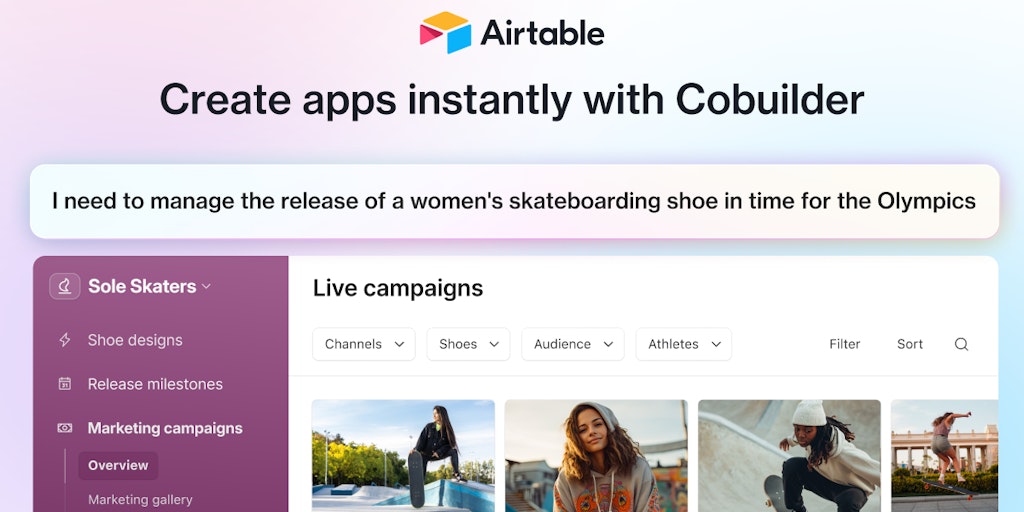
Airtable is a low-code platform that lets you build next-gen apps. Airtable is designed to help you move beyond rigid tools, operationalize your critical data, and reimagine workflows with AI. It can be used by teams at over 500,000 forward-thinking organizations, and you can even find inspiration and resources to get started. Airtable is a powerful tool that can help you create apps instantly with Airtable Cobuilder.
How does Airtable work
Airtable functions as a cloud-based platform offering database functionalities and app-building capabilities. Users create and manage databases (Airtable bases) utilizing a spreadsheet-like interface. The platform supports various data visualizations (views) and integrates with numerous apps (integrations), including Slack and Salesforce. Airtable facilitates automation via workflows, and its API allows for custom development. Features such as reporting and governance tools enhance data management and project management. Airtable's AI capabilities further streamline workflows for various business solutions, from CRM to project portfolio management. The platform offers various pricing plans, including a free option.
Benefits of Airtable
Airtable offers a powerful, no-code platform for building custom business apps, streamlining workflows, and connecting data. Its intuitive interface and robust features, including AI integration, automations, and customizable views, enable efficient project management and CRM capabilities. Airtable's extensive integrations with tools like Slack and Salesforce, along with its comprehensive API, facilitate seamless data flow across various applications. For enhanced learning, Airtable Academy provides valuable training resources, while the Airtable Community fosters collaboration. Whether you need an Airtable database or are exploring Airtable alternatives, Airtable provides a scalable solution for diverse business needs.
Pros and Cons of Airtable
Pros
- Versatile platform.
- Extensive integrations.
- Powerful automation features.
- User-friendly interface.
- Robust AI capabilities.
Cons
- Pricing can be high.
- Steep learning curve.
- Data migration complexities.
- Limited offline functionality.
- Potential security concerns.
Core Features of Airtable
Low-code Platform
Airtable is a low-code platform that enables users to build next-generation applications. It provides tools for data management and workflow automation.
Collaboration Tools
Airtable offers features for collaborative work. With Airtable, you can share your apps and data with others and work together on projects.
AI Integration
Airtable has integrated artificial intelligence (AI) capabilities. It can help you with tasks like data analysis and automation.
Templates and Resources
Airtable provides various templates and resources to help you get started with building apps. You can find inspiration and guidance to create your own apps.
Large User Base
Airtable has a large user base, with more than 500,000 organizations using its platform daily. This demonstrates its popularity and wide adoption across industries.
Use Cases of Airtable
- Marketing Teams: Manage marketing campaigns and track results using Airtable's project management and CRM features.
- Project Managers: Streamline project workflows and track progress with Airtable's project management tools and integrations.
- Sales Teams: Improve sales processes and customer relationship management using Airtable's connected data and automation features.
- Product Development Teams: Utilize Airtable's AI-powered app building capabilities to manage product development cycles.
- Operations Teams: Centralize data and processes for improved operational efficiency using Airtable's database functionalities.
FAQs of Airtable
What is Airtable?
Airtable is a platform for building applications, without needing to write a lot of code. It lets you organize your data in a way that's flexible and easy to use.
How does Airtable work?
You can create databases, spreadsheets, and applications in Airtable. It's like a combination of a spreadsheet and a database. The basic building block of Airtable is called a "base," and it's basically a table. You can add different types of information to your bases, like text, numbers, dates, images, and more. Airtable also has a bunch of features to help you automate tasks and build workflows.
What kind of applications can I build with Airtable?
You can use Airtable to build a wide variety of applications, including:
- Project management tools
- Customer relationship management (CRM) systems
- Content calendars
- Event planning tools
- Inventory management systems
What are the advantages of using Airtable?
Airtable is very user-friendly, so it's easy to get started even if you're not a programmer. It's also very flexible, so you can customize it to meet your specific needs. Airtable is collaborative, so you can work on projects with others.
Who uses Airtable?
Airtable is used by over 500,000 companies and organizations. You'll find it in a lot of different industries, from startups to Fortune 500 companies.
Where can I learn more about Airtable?
You can check out the Airtable website, or follow them on Twitter. There are also lots of tutorials and resources available online.
How to use Airtable
Begin by creating an Airtable account or logging in if you already have one. This grants access to the Airtable platform and its features.
Next, create a new base to organize your data; select a template or start from scratch, depending on your needs and project management requirements.
Then, design your base by adding tables, defining fields (text, numbers, links, etc.), and setting up relationships between different tables within your database.
After that, populate your tables with data; import data from external sources or manually add entries based on your database and project management needs.
Now, utilize Airtable's views to customize how your data is displayed; choose from various views like grid, calendar, Kanban, or gallery to effectively manage your projects.
Then, leverage Airtable's automation features to streamline workflows; set up automations to trigger actions based on specific events or data changes within the database.
Finally, analyze and interpret your data using Airtable's reporting features; generate reports and charts to visualize your data and gain actionable insights into your projects.
Airtable Website Traffic Analysis
Latest traffic information
- Monthly Visits25.81M
- Bounce Rate34.58%
- Pages Per Visit7.68
- Visit Duration00:09:35
- Global Rank1.49K
- Country/Region Ranking679
Top Keywords
| Keyword | Traffic | Volume | Cost Per Click |
|---|---|---|---|
| airtable | 325.65K | 493.54K | $5.16 |
| air table | 15.61K | 23.82K | $6.99 |
| airtable login | 7.9K | 11.96K | $2.11 |
| airtable pricing | 4.53K | 6.79K | $6.68 |
| airtable mcp | 3.21K | 3.29K | $4.76 |
Top Regions
| Region | Percentage |
|---|---|
| United States | 52.38% |
| United Kingdom | 5.04% |
| France | 4.63% |
| Canada | 3.35% |
| Philippines | 2.86% |
Airtable Alternatives
Relay App turns plain-language instructions into AI workflows that connect 200+ apps, run reliable automations, and pause for human approval.

Aurey AI is a browser-based game maker that turns text descriptions into playable games, with version history and community sharing.
MenuForma turns any PDF, photo, or website menu into a digital QR menu with online ordering, 70+ languages, and AI food photos for restaurants.
doany is an AI company builder that builds your product, finds customers, and sells for you. No code, no team needed. You own 100% of the company.
AI website cloner that rebuilds live sites from a URL into editable React + Tailwind. Free preview, multi-page clones, production-ready code export, no subscription.
Build and optimize your online store with Runner AI. Create storefronts by chatting with AI, run automatic tests, and scale conversions with autonomous optimization.
HappySeeds is an AI app building platform that turns ideas into apps with built-in agents, payments, and one-click deployment. Concept to revenue in minutes.
TanStarter is a SaaS boilerplate for developers and indie makers, offering AI‑enhanced auth, payments, database, storage, blog, email, newsletter, dashboard and SEO, all pre‑configured for rapid deployment on Cloudflare Workers at low cost.
VibeBot is an AI-powered Discord bot builder for server owners and community managers, generating custom moderation, music, leveling and AI chat features from plain English prompts and providing instant cloud hosting with zero coding required.
Claw Farm simplifies OpenClaw AI assistant deployment with step-by-step guides, Docker support, and a skills ecosystem for beginners and developers.
GenPPT creates professional presentations from text prompts using AI, offering smart layouts, web search integration, and instant PPTX downloads for business and education.
OneRouter is an enterprise-grade AI router providing a unified API and unified billing system to deploy 200+ LLMs and media models in minutes.