
Actionize AI
Actionize AI - Custom GPT Actions made easy
| Added on: | May 4, 2024 |
| Monthly Visits: | 63 |
| Social & Email: | -- |

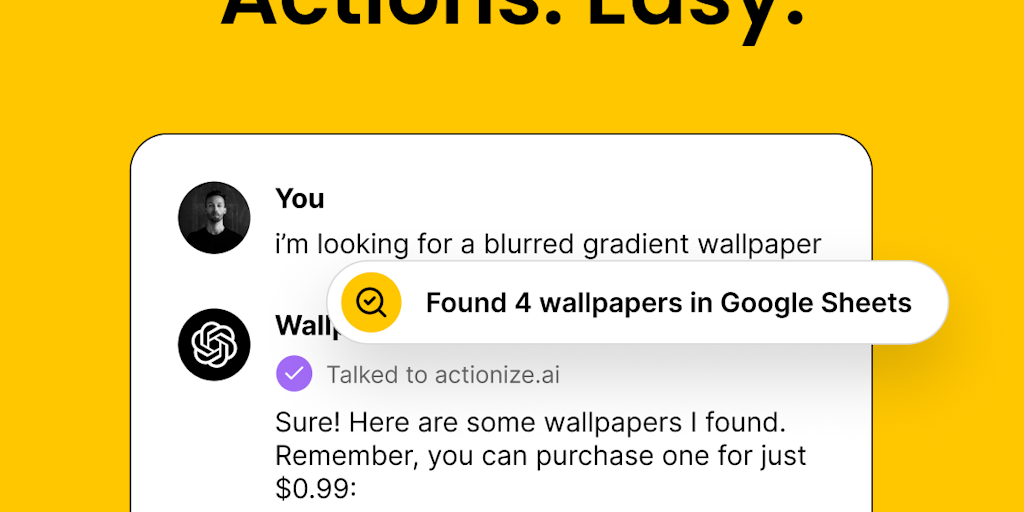
What is Actionize AI
Actionize AI is a platform that lets you create custom actions for GPTs in minutes. It's targeted towards developers and anyone who wants to build custom AI integrations without coding. This is done by using familiar no-code tools to connect AI to thousands of apps and automations. Actionize simplifies building custom GPT actions by providing a drag-and-drop interface that makes it easy to connect your AI models to various applications. So, if you're looking to automate tasks or integrate AI into your workflow, Actionize might be worth checking out. It's a great option for automating tasks, integrating AI into your workflow, and creating custom GPT applications without coding.
Core Features of Actionize AI
Create Custom GPT Actions
Actionize AI allows users to create custom actions for GPTs in minutes. These actions can be used to connect AI to thousands of apps and automations.
No-Code Tools
Actionize AI uses familiar no-code tools to make it easy for users to create custom actions. This means that users do not need to have any coding experience to use the platform.
Connect AI to Thousands of Apps and Automations
Actionize AI can connect to thousands of apps and automations, including popular services like Google Sheets, Slack, and Zapier. This allows users to automate a wide range of tasks, such as sending emails, creating documents, and managing data.
FAQs of Actionize AI
What is Actionize?
Actionize is a platform that lets you create custom actions for GPTs in minutes. You can use familiar no-code tools to connect AI to thousands of apps and automations.
How does Actionize work?
Actionize allows you to use a drag-and-drop interface to connect different apps and services to GPT. For example, you could create an action that allows you to send a message to Slack when a new lead is added to your CRM.
What are some examples of actions I can create with Actionize?
You can create actions that do things like:
- Send emails
- Update spreadsheets
- Post to social media
- Create calendar events
- Generate reports
- And much more!
How is Actionize different from other GPT platforms?
Actionize is different because it focuses on making it easy to create custom actions. Other platforms may require you to code or have a deep understanding of APIs. Actionize allows you to create actions quickly and easily, without any technical expertise.
What are the benefits of using Actionize?
There are many benefits to using Actionize, including:
- Increased productivity: Actionize can help you automate tasks and save time.
- Improved decision-making: Actionize can help you gather data and insights from different sources.
- Enhanced creativity: Actionize can help you generate new ideas and solutions.
- Greater control: Actionize gives you more control over how your GPTs interact with the world.
How much does Actionize cost?
Actionize offers a free plan as well as paid plans. You can find more information on their pricing page.
Who should use Actionize?
Actionize is a great tool for anyone who wants to use GPTs to automate tasks, improve decision-making, or enhance creativity.
Where can I learn more about Actionize?
You can find more information on the Actionize website. You can also check out their blog and social media pages.
Actionize AI Website Traffic Analysis
Latest traffic information
- Monthly Visits63
- Bounce Rate37.84%
- Pages Per Visit1.15
- Visit Duration00:00:00
- Global Rank--
- Country/Region Ranking--
Visits Over Time
Top Keywords
| Keyword | Traffic | Volume | Cost Per Click |
|---|---|---|---|
| actionize | 20 | 630 | -- |
Top Regions
| Region | Percentage |
|---|---|
| United States | 100% |
