

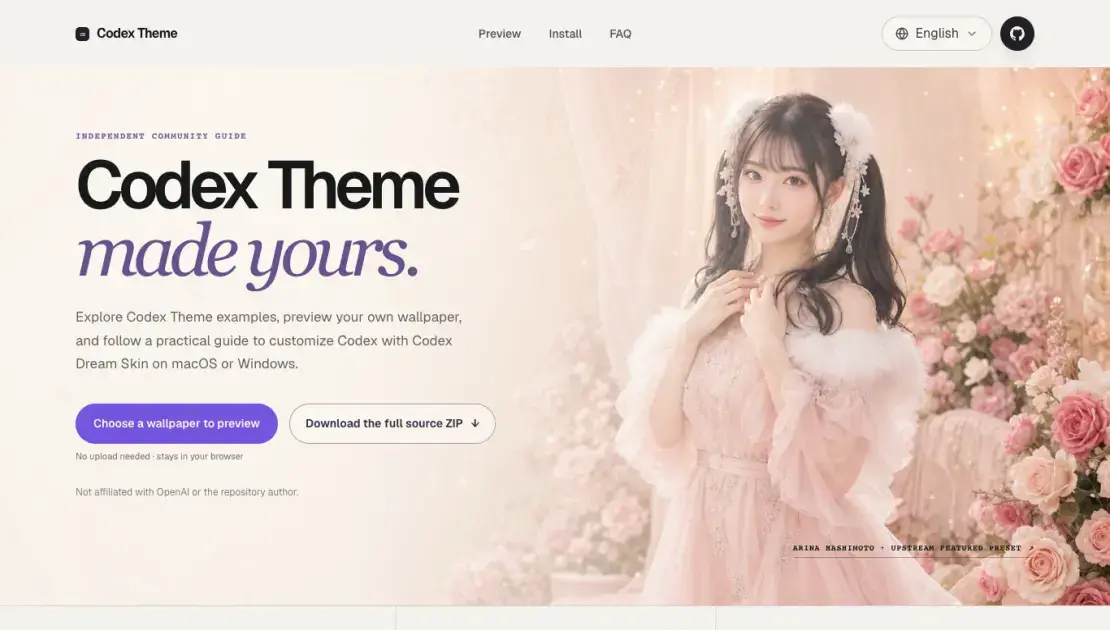
Codex Theme이(가) 무엇인가요?
Codex Theme는 OpenAI의 Codex 코딩 도구의 모양을 사용자 정의하는 독립적인 커뮤니티 가이드입니다. 브라우저에서 실행되는 로컬 미리보기 도구를 제공하여 사용자가 배경화면을 업로드하고 Codex 배경으로 어떻게 보이는지 확인할 수 있습니다. 이 가이드는 Codex Dream Skin을 통해 macOS 및 Windows 설치 과정도 자세히 안내합니다. Codex Dream Skin은 서드파티 오픈 소스 프로젝트입니다. 사용자는 모든 탐색 및 제어 기능을 유지하면서 배경 이미지, 색상 팔레트, 반투명 패널을 추가하는 사용자 정의 테마를 적용할 수 있습니다. 이 가이드는 OpenAI와 제휴하지 않으며 모든 다운로드는 원본 GitHub 저장소로 안내됩니다.
Codex Theme는 어떻게 작동하나요?
Codex Theme는 로컬 CDP(Chrome DevTools Protocol) 연결을 통해 Codex 코딩 워크스페이스에 비주얼 레이어를 적용합니다. 이 프로세스는 사용자가 브라우저 내 미리보기 도구에 배경화면을 업로드하는 것으로 시작되며, 테마의 효과를 렌더링합니다. 사용자가 만족하면 원본 GitHub 리포지토리에서 Codex Dream Skin 소스 코드를 다운로드합니다. 설치 프로그램은 로컬에서 실행되며 CDP를 통해 실행 중인 Codex 애플리케이션에 사용자 정의 스타일을 주입하여 배경 이미지, 색상 조정, 반투명 패널을 추가합니다. 이 접근 방식은 공식 앱 패키지나 코드 서명을 수정하지 않으므로 테마는 API 제공업체 설정과 분리되며 사용자는 언제든지 기본 모양으로 복원할 수 있습니다.
Codex Theme의 이점
Codex Theme는 Codex 코딩 환경에서 많은 시간을 보내는 개발자와 파워 사용자를 주 대상으로 하며, 더 개인화된 시각적 환경을 원하는 사용자를 위해 설계되었습니다. 기능을 희생하지 않고 개발 도구를 사용자 정의하는 것을 좋아하는 사용자에게 적합합니다. 이 가이드는 macOS 및 Windows 사용자에게 Codex 인터페이스에 맞춤 배경화면, 색상 구성표 및 반투명 패널을 적용하려는 경우에 유용합니다. 서드파티 사용자 정의 옵션에 관심이 있지만 변경을 약속하기 전에 안전하고 되돌릴 수 있는 명확한 문서 기반 접근 방식을 원하는 사용자에게도 적합합니다.
Codex Theme의 장점과 단점
장점
- 무료 오픈 소스 도구로, 유료 계층 없음
- 미리보기는 브라우저에서 완전히 작동하며 데이터 업로드 없음
- macOS 및 Windows 크로스 플랫폼 지원
- 공식 앱을 수정하지 않고 완전히 되돌리기 가능
- 활발한 GitHub 리포지토리와 커뮤니티 문서
단점
- 서드파티 로컬 스크립트를 다운로드하여 실행해야 함
- Codex 데스크톱 앱에만适用,网页版不支持
- 가로 레이아웃에 적합한 배경화면으로 제한
- OpenAI와 공식 관계가 없어 향후 업데이트 호환성을 보장할 수 없음
Codex Theme의 핵심 기능
로컬 미리보기
미리보기 도구는 브라우저에서 완전히 작동합니다. 사용자는 배경화면을 업로드하고 서버에 아무것도 전송하지 않고 Codex 배경으로 어떻게 보이는지 확인할 수 있습니다. 이를 통해 테마 에셋을 편집하기 전에 구성을 판단할 수 있습니다.
크로스 플랫폼 지원
Codex Dream Skin은 macOS와 Windows를 모두 지원합니다. macOS 사용자는 명령 기반 설치 프로그램을 실행하고, Windows 사용자는 PowerShell 스크립트를 사용합니다. 각 플랫폼에는 전용 문서 링크가 있습니다.
되돌리기 가능한 설정
사용자는 리포지토리에 포함된 복원 프로세스를 사용하여 언제든지 공식 Codex 모양으로 돌아갈 수 있습니다. 테마는 공식 앱 패키지를 수정하지 않으므로 복원이 간단합니다.
사용자 정의 배경 및 색상
Codex Theme는 사용자 정의 배경화면과 조화로운 색상 팔레트, 반투명 인터페이스 패널을 결합합니다. 탐색, 카드 및 프롬프트 상자는 비주얼 레이어가 적용되어도 완전히 대화형으로 유지됩니다.
독립 커뮤니티 가이드
이 가이드는 OpenAI나 Codex Dream Skin 작성자와 제휴하지 않습니다. 문서, 미리보기 도구를 제공하고 설치 트래픽을 원본 소스 리포지토리로 안내합니다.
Codex Theme의 사용 사례
- 개발자: Codex 코딩 환경에서 많은 시간을 보내며 시각적으로 더 매력적인 작업 공간을 원하는 사용자. 피로를 줄이고 집중력을 높이고 싶은 사용자.
- 사용자 정의 애호가: 맞춤 배경화면, 색상 구성표 및 반투명 인터페이스 요소를 사용하여 개발 도구를 개인화하는 것을 좋아하는 사용자.
- 팀: 공유 Codex 워크스테이션에서 시각적 테마를 표준화하는 방법을 찾는 사용자. 모든 대화형 컨트롤 기능을 유지하면서.
- 신중한 사용자: 변경을 약속하기 전에 안전하고 되돌릴 수 있는 명확한 문서 기반 접근 방식으로 서드파티 Codex 사용자 정의 옵션을 탐색하려는 macOS 및 Windows 사용자.
Codex Theme의 FAQ
Codex Dream Skin은 OpenAI의 공식 제품입니까?
아니요. Codex Dream Skin은 Fei-Away가 만든 독립적인 오픈 소스 프로젝트입니다. Codex Theme는 프로젝트를 설명하고, 로컬 미리보기 도구를 제공하며, 설치 트래픽을 원본 소스로 안내하는 독립적인 커뮤니티 가이드입니다.
Codex 테마가 공식 설치를 수정합니까?
아니요. 테마는 로컬 CDP 연결을 통해 적용되며 공식 앱 패키지, app.asar 또는 코드 서명을 수정하지 않습니다. Codex 테마와 API 제공업체 설정은 별개입니다.
공식 Codex 모양으로 돌아갈 수 있습니까?
예. 리포지토리에는 각 플랫폼용 복원 프로세스가 포함되어 있습니다. 언제든지 사용하여 기본 인터페이스로 돌아갈 수 있습니다.
Codex 테마 설치가 완전히 안전합니까?
도구는 오픈 소스이며 로컬에서 실행됩니다. 사용자는 원본 리포지토리에서만 다운로드하고, 실행 전에 스크립트를 검토하며, CDP 디버그 포트가 활성화된 상태에서 신뢰할 수 없는 로컬 소프트웨어를 실행하지 않아야 합니다.
이 웹사이트가 배경화면을 업로드합니까?
아니요. 미리보기는 브라우저에서 완전히 실행됩니다. 선택한 파일은 임시 브라우저 URL을 통해 장치에 유지되며 페이지를 닫거나 새로고침하면 사라집니다.
Codex 테마에 적합한 배경화면은 무엇입니까?
명확한 초점, 적절한 대비 및 일관된 색상 팔레트를 가진 와이드 이미지가 가장 적합합니다. 데스크톱 워크스페이스는 가로 방향이므로 와이드 이미지가 가장 유연한 테마를 만듭니다.
Codex 테마 비용은 얼마입니까?
Codex 테마는 완전히 무료입니다. 미리보기 도구, 설치 가이드 및 기본 Codex Dream Skin 프로젝트는 모두 오픈 소스이며 유료 계층이 없습니다.
Codex Theme 사용 방법
- 미리보기: Codex Theme 웹사이트에 방문하여 배경화면을 업로드하고 Codex 워크스페이스에서의 효과를 확인합니다. 미리보기는 브라우저에서 완전히 작동하며 데이터 업로드가 필요하지 않습니다.
- 다운로드: 원본 GitHub 리포지토리로 이동하여 ZIP 아카이브로 Codex Dream Skin 소스 코드를 다운로드하거나 리포지토리를 직접 클론합니다.
- macOS 설치: 다운로드한 소스의 macos 폴더를 열고 Install Codex Dream Skin.command 스크립트를 실행합니다. 설치 프로그램은 Apple Silicon과 Intel 머신을 모두 지원합니다.
- Windows 설치: 다운로드한 소스의 windows 폴더에서 PowerShell을 열고 설치 스크립트를 실행합니다. 스크립트는 설정을 처리하고 사용자 정의 프로세스를 시작합니다.
- 복원: 리포지토리에 포함된 복원 프로세스를 사용하여 언제든지 공식 Codex 모양으로 돌아갑니다.
Codex Theme 웹사이트 트래픽 분석
최신 교통정보
- 월간 방문3.49K
- 반송률39.1%
- 방문당 페이지 수1.31
- 방문 기간00:00:00
- 세계 순위5.26M
- 국가/지역 순위3.55M
인기 키워드
| 예어 | 트래픽 | 인기 | 클릭당 비용 |
|---|---|---|---|
| codex themes | 40 | 1.4K | $3.93 |
| codex 主题 | -- | 830 | $3.85 |
| codex theme | -- | 780 | $3.79 |
Codex Theme 대안
SeedRouter는 OpenAI, Google, Anthropic의 이미지·비디오·언어·오디오 모델을 하나의 키로 연결하며, 요청 단위로 과금하고 실패한 호출은 청구하지 않습니다.
Jev는 TypeSafe AI의 System One 모델로, 자동화를 위해 보정된 신뢰도가 포함된 타입 기반 결정을 반환합니다. 빠르고 저렴하며 환각이 없습니다.
OpenAI 호환 API로 GPT, Claude, Gemini, Grok을 한 번에 사용하세요. 모델 요금을 비교하고 몇 분 만에 키를 만들어 첫 요청을 보낼 수 있습니다.
AI 코딩 에이전트를 위한 Git 네이티브 작업 관리 도구: 작업 의도, 상태, 차단 항목, 종속성, 기록, 커밋 증거를 Git에서 추적합니다.
SJolt는 이미지, 영상, 오디오 생성 모델을 하나의 API 요청으로 통합해 개발자와 팀에게 제공하는 AI 모델 플랫폼입니다.
Tokenhot는 OpenAI, Claude, Gemini, DeepSeek 모델을 단일 엔드포인트로 제공하는 통합 LLM API 게이트웨이로, API 비용을 최대 90% 절감합니다.
DSH Hub는 검증된 DeepSeek Harness 플러그인과 클라이언트를 모아 설치 전 소스 코드를 확인할 수 있는 오픈소스 저장소 링크를 제공합니다.

항상 무료인 브라우저로 로그인된 Chrome 상태를 Claude Code, Codex 같은 AI 에이전트와 공유하여 브라우저 자동화 작업을 최대 3.45배 더 빠르게 실행합니다.
Formpost는 문의 양식 제출 내용을 이메일로 전달하는 무료 API로, AI 스팸 필터링, webhooks(웹훅), 파일 업로드, REST API를 지원합니다.