
TextToHuman FAQs
TextToHuman is a free AI humanizer that rewrites ChatGPT, Gemini, and Claude output into natural, human‑like prose, bypassing AI detectors while preserving meaning.

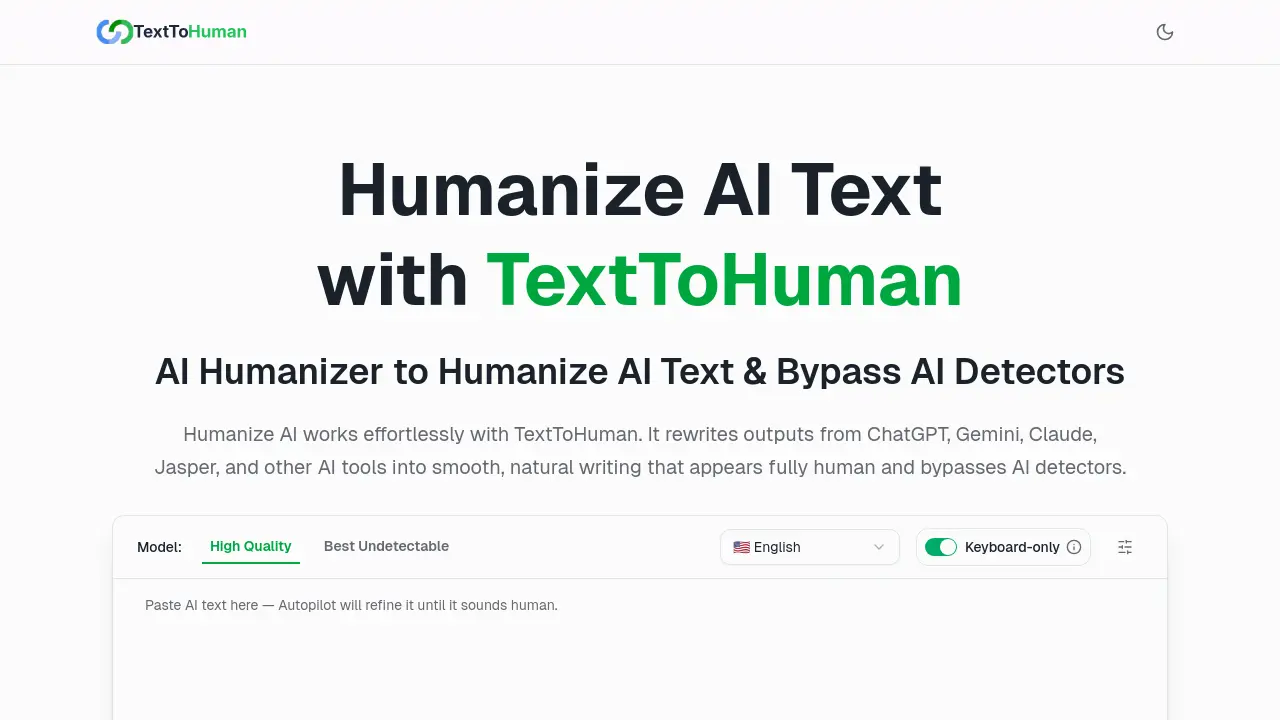
FAQs of TextToHuman
What is TextToHuman?
TextToHuman is an online AI humanizer that rewrites content generated by tools such as ChatGPT, Gemini, Claude, and Jasper. It transforms robotic sentences into smooth, natural prose while preserving the original meaning and tone. The service is browser‑based, free, and requires no registration, making it accessible to students, marketers, and writers who need human‑like text quickly.
How does TextToHuman humanize AI text?
The tool employs a large‑scale language model trained on a diverse human‑written dataset. When a user pastes AI‑generated text, the model analyzes context, syntax, and semantics, then rewrites each sentence to match natural human patterns. It offers a “Basic” mode for manual editing and an “Autopilot” mode that automatically iterates until the text achieves a low AI‑detection score.
Is TextToHuman really free to use?
Yes. TextToHuman offers unlimited, unrestricted usage at no cost. There are no hidden fees, subscription plans, or daily word‑count limits. The service remains free forever, allowing users to humanize any amount of content without financial commitment.
Do I need to create an account?
No account creation is required. Users can paste text directly into the web interface, select a model and mode, and receive humanized output instantly. This design eliminates onboarding friction and protects user privacy by avoiding data storage.
Does the tool keep my content private?
TextToHuman processes text in real time and does not store, log, or share user data. All content remains on the client side, and the service explicitly states that it does not retain or transmit user input to external servers, ensuring confidentiality.
Does TextToHuman maintain the original meaning?
The rewriting algorithm prioritizes semantic fidelity. It retains key ideas, facts, and tone while adjusting phrasing for natural flow. Users can review highlighted sentences and choose alternative versions, guaranteeing that the core message remains unchanged.
Is the output plagiarism‑free?
Because the tool rewrites user‑supplied text rather than generating new content from scratch, the output is unique to the input. The model does not copy external sources, so the resulting text is free of plagiarism and suitable for academic or professional use.
Will the humanized text pass AI detectors?
TextToHuman is specifically engineered to reduce AI‑detection scores. By rephrasing sentences and altering linguistic patterns, it produces text that typically scores below detection thresholds for GPTZero, Turnitin, detecting‑ai.com, Grammarly, and ZeroGPT. Users can verify results via the built‑in detection checker.
Does TextToHuman work with all browsers and devices?
The web application is compatible with Chrome, Firefox, Safari, Edge, and other modern browsers. It is responsive across desktops, laptops, tablets, and smartphones, allowing users to humanize text from any device without installation.
Is there a character or usage limit?
No limits are imposed on word count, character length, or daily usage. Users can process large documents or multiple texts consecutively, making the tool suitable for extensive projects or batch editing.
Does the tool support multiple languages?
TextToHuman supports over 25 languages, including English, Chinese, Russian, Arabic, Japanese, Spanish, and more. The model adapts to language‑specific syntax and idioms, ensuring natural output in each supported tongue.
Who can benefit from using TextToHuman?
The service is valuable for content creators, marketers, students, professionals, and writers who rely on AI drafts. It helps produce authentic, engaging prose for blogs, social media, emails, essays, reports, and creative writing while maintaining the original voice.
How long does it take to humanize a text?
Processing time depends on text length and chosen mode. Basic mode typically completes in a few seconds for up to 5,000 characters, while Autopilot may take slightly longer due to iterative refinement. Users can monitor progress in real time.
What models are available in TextToHuman?
Users can choose between a “Stealth” model, optimized for low detection scores, and a “Premium” model, focused on higher linguistic quality. Both models are powered by the same underlying architecture but differ in output style and detection thresholds.
Can I use TextToHuman for academic writing?
Yes. The tool preserves factual accuracy and original meaning, making it suitable for revising AI‑generated essays, research summaries, or presentations. Because the output is plagiarism‑free, it complies with academic integrity standards when properly cited.
Does TextToHuman provide API access?
An API is available for developers seeking to integrate humanization capabilities into their own applications. The API supports the same model options and returns JSON responses with humanized text and detection scores.
How does TextToHuman handle sensitive data?
All processing occurs in the user’s browser; no data is transmitted to external servers. The service explicitly states that it does not log or store user input, ensuring that confidential or proprietary information remains private.
How to use TextToHuman
- TextToHuman is a free web‑based AI humanizer that rewrites AI‑generated text into natural, human‑like writing, functioning as a text to human converter for handwriting, voice, and speech across 25 languages.
- The TextToHuman website is accessed in any modern browser; no sign‑up required, allowing immediate paste of AI content and beginning the humanization process.
- The output from ChatGPT, Gemini, or other AI tools is copied and pasted into the provided text box, up to 5,000 characters, for text to human writing conversion.
- The desired model—Stealth or Premium—and mode—Basic or Autopilot—are chosen to tailor the rewriting speed and detection bypass level before initiating the transformation.
- The Humanize Now button is clicked; the AI processes the text, generating a human‑sounding version within seconds and displays the result in the output panel.
- AI detection scores beside highlighted sentences are examined; alternatives are clicked to refine phrasing until the score indicates human authenticity and ensure the text aligns with the intended tone.
- The humanized output is copied and pasted into the document or CMS, and the content is published; it should bypass major AI detectors while preserving SEO keywords.
- The unchanged keywords and improved readability are used to enhance search rankings; post‑publish analytics are monitored to confirm engagement gains and future drafts are adjusted accordingly.
