
Synexa.ai FAQs
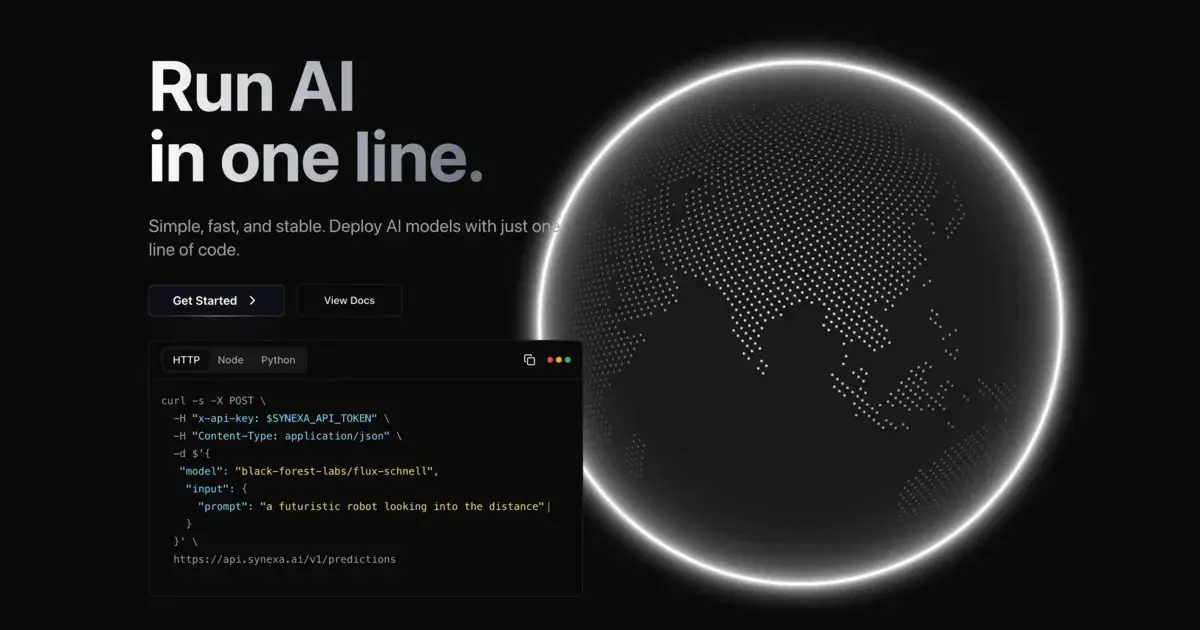
Synexa AI lets developers deploy powerful AI models, including image generation, video generation, and image restoration, using a single line of code; it offers fast, stable performance, a user-friendly interface, and cost-effective A100 GPU pricing, saving up to 62% compared to competitors, plus automatic scaling and support for Python, JavaScript, and REST APIs.

FAQs of Synexa.ai
What is Synexa.ai?
Synexa.ai is a platform offering a simple and efficient way to deploy and run AI models using just one line of code. It provides access to a wide range of pre-trained models and boasts a cost-effective pricing structure, aiming to be among the cheapest options for serverless AI API model execution. Key features include automatic scaling, a user-friendly developer experience, high-performance GPUs, and an extensive model collection.
What AI models are available on Synexa.ai?
Synexa.ai offers access to over 100 production-ready AI models, including popular options such as FLUX Pro, Ideogram v2, and Hunyuan Video. The platform regularly adds new models, eliminating the need for users to handle model setup. Examples include the hunyuan3d-2, flux-schnell, flux-1.1-pro, and stable-diffusion models. Specific model availability and details are accessible through the Synexa.ai model gallery.
How much does Synexa.ai cost?
Synexa.ai offers competitive pricing, claiming to be up to 62% cheaper than other providers. While specific pricing details may vary depending on usage and model selection, hourly rates are presented for comparison. As an example, they advertise a cost of $2.49/hour versus competitors' $3.99/hour and $5.04/hour, respectively. Detailed pricing information can be found on the Synexa.ai pricing page.
What are the key features of Synexa.ai's infrastructure?
Synexa.ai leverages enterprise-grade GPU infrastructure equipped with A100s and H100s, distributed across three continents. This global infrastructure contributes to sub-100ms latency, a 99.9% uptime guarantee, and seamless auto-scaling to handle traffic fluctuations efficiently. This ensures users pay only for actual usage, scaling to zero during idle periods and scaling up infinitely when demand increases.
How can I integrate Synexa.ai into my projects?
Synexa.ai prioritizes developer experience, offering intuitive SDKs and comprehensive API documentation to simplify integration. Support is provided for Python, JavaScript, and REST APIs, allowing for straightforward incorporation into diverse projects. The platform's single-line deployment method further streamlines the integration process.
How to use Synexa.ai
- Begin by obtaining an API key from the Synexa.ai platform. This key grants access to the AI model execution capabilities.
- Choose a model from Synexa.ai's extensive model collection; options include image generation, video generation, and more. Consider model capabilities and pricing.
- Compose an API request using the selected model and your input data. This might involve using
curl, Python, or another supported SDK. - Send the API request to the Synexa.ai endpoint (
https://api.synexa.ai/v1/predictions). Ensure the request includes your API key and formatted input. - Process the JSON response received from the Synexa.ai API. This response contains the generated output from the chosen AI model. Error handling should be included.
- Integrate the obtained results into your application or workflow. Results may include generated images, videos, text, or other data depending on the model.
- Manage your Synexa.ai account and monitor usage, adjusting your resource allocation as needed. This ensures cost-effectiveness and optimal performance with Synexa.ai's auto-scaling.
