
Shram FAQs
Shram is a gamified work management tool that allows you to manage projects, tasks, and get real-time reports on team member performance. Boost your productivity and focus on outcomes, not just hours worked.

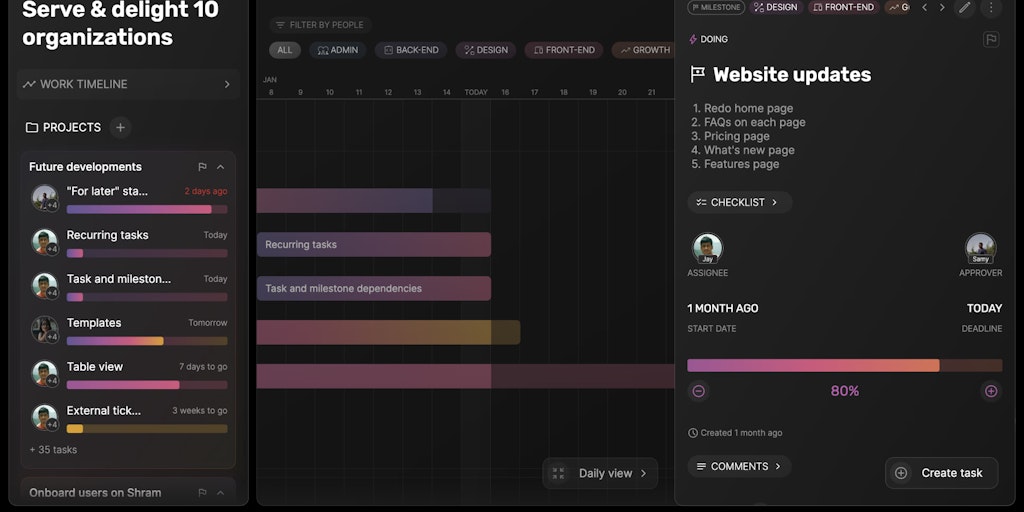
FAQs of Shram
What is Shram?
Shram is a powerful AI tool designed to help you make your daily work rewarding and meaningful. It aims to simplify your work and provide you with valuable insights to make better decisions.
How do I use Shram?
You can access Shram through its web application, found at https://www.app.shram.io/. Shram is user-friendly and guides you through its features step-by-step.
What makes Shram unique?
Shram's unique approach lies in its focus on making work more meaningful. It helps you understand the impact of your work and encourages you to improve your performance. It's like having a personal assistant that helps you see the bigger picture of your work.
How to use Shram
Shram facilitates user login via email and OTP for accessing various services, potentially related to labor, employment, or logistics. This tutorial explains the login process.
- Initiate the login process by entering your registered email ID in the designated field on the Shram platform.
- Click the "Request OTP" button; this action sends a one-time password to your registered email address for verification.
- Retrieve the OTP from your email inbox and enter it into the provided field on the Shram website to proceed.
- After entering the OTP, the system will verify it, granting you access to your Shram account and its functionalities.
- Optionally, rate your experience after logging in. Select from "Not good at all" to "Very good" and then click "Next" or "Skip".
