
Kerlig AI Core Features
Write replies on Slack and Mail using your tone of voice. Fix spelling before sending a message. Summarize websites and articles. Chat with PDFs and documents. Improve copy in Figma. Translate to any language. Change tone and more!

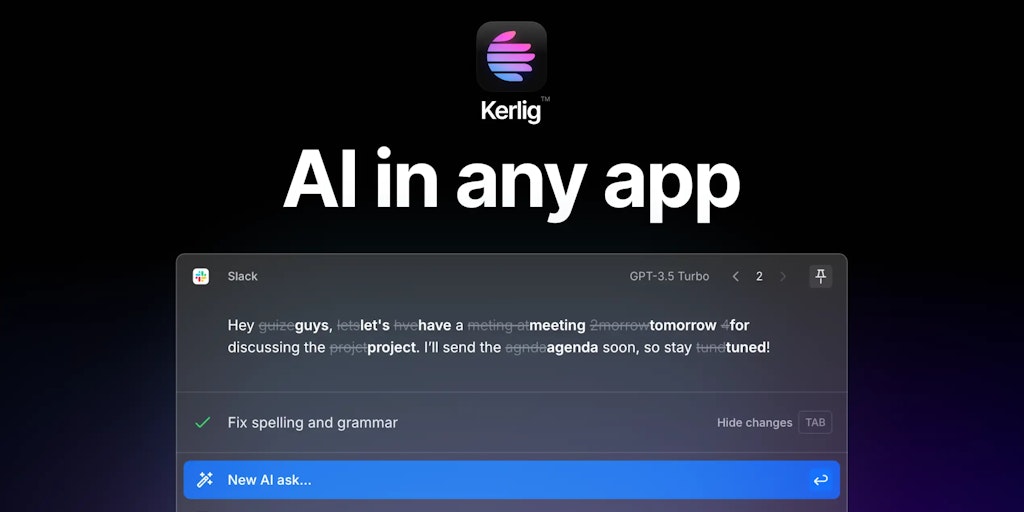
Core Features of Kerlig AI
In-Context Writing Assistant
Kerlig AI is an in-context AI writing assistant for macOS. It allows users to access AI-powered writing tools directly within any application on their Mac. This means you can use Kerlig to generate text, translate languages, and more, without ever leaving the app you're currently working in.
Generate Text
Kerlig can generate different kinds of text, including emails, blog posts, and social media posts. Users can also use Kerlig to summarize text, rewrite text, and create outlines.
Translate Languages
Kerlig supports translation between multiple languages, allowing users to quickly and easily translate text within any app.
Enhance Writing
Kerlig can help users improve their writing by providing suggestions for grammar, spelling, and style.
Access AI Features Directly Within Any App
The ability to use Kerlig directly within any app is a key feature of the product. This eliminates the need to switch between applications and helps users streamline their workflow.
Access Kerlig AI on macOS
Kerlig AI is currently available for macOS.
