
Film Finder FAQs
The smarter way to find films you'll love. Discover your next favorite film, find hidden gems, and explore blockbusters at the touch of a button.

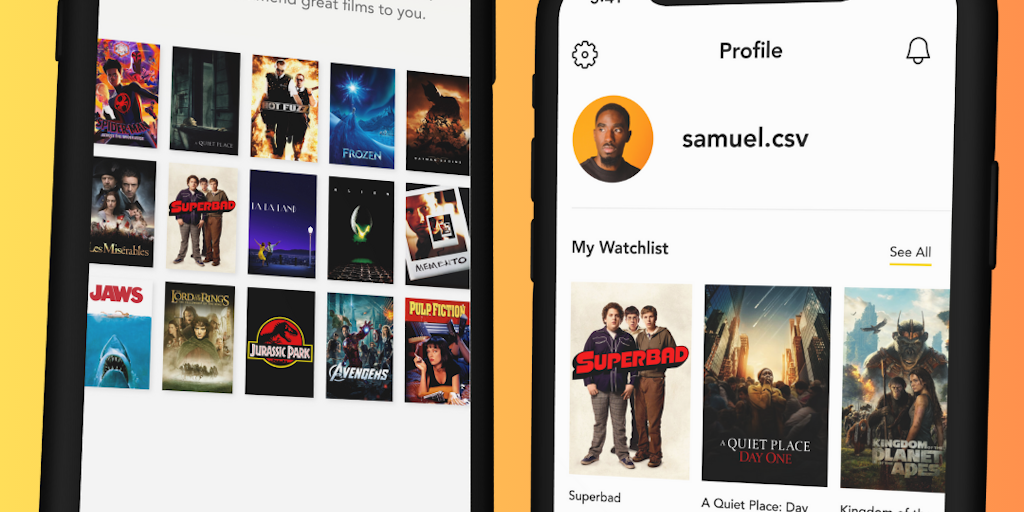
FAQs of Film Finder
What is Film Finder?
Film Finder is an app that recommends films based on your preferences.
How does Film Finder work?
When you first use the app, you'll be asked to rate a few movies. Film Finder will use this information to learn your taste and recommend movies that you'll enjoy.
How does Film Finder save me time?
The app suggests movies that are tailored to your tastes, so you don't have to waste time browsing through a long list of movies. You can save time by using Film Finder to help you find something to watch.
What if I don't like the recommendations?
Film Finder provides different ways to get recommendations that are more tailored to your taste. You can refine your search by genre, actor, director, and more, and you can rate movies that you've seen to help Film Finder learn what you like.
How can Film Finder help me connect with my family?
The app has a feature that lets you share your movie list with your friends and family. This lets you find out what they're watching and make suggestions for movies that you can watch together.
What are the benefits of using Film Finder?
Film Finder helps you to discover movies that you'll love, while also saving you time and making it easier to watch movies with your family.
How to use Film Finder
Film Finder is a mobile application designed to help users discover movies. It offers a way to find films based on various criteria. This tutorial outlines how to use the Film Finder app effectively.
- Download the Film Finder app from the Apple App Store. The app, developed by Film Finder Ltd., is essential for accessing its film discovery features.
- Explore the app's interface to become familiar with its layout. Look for options to search films. Film Finder’s core functionality is film discovery.
- Utilize the search functionality to find films. Input search terms, such as film titles, actors, or genres to get film recommendations.
- Experiment with the "film finder by description" option if available. Describe the type of movie you're looking for, allowing the AI to suggest relevant titles.
- Check out the "film finder by photo" feature to identify films from images. This film finder ai uses image recognition.
- Review the film recommendations provided by Film Finder. Consider trailers and descriptions to determine which films align with your preferences.
- Share films you discover with friends using social media links. Film Finder integrates with platforms like Facebook, Instagram, Twitter, and LinkedIn.
- Contact Film Finder Ltd. for support or inquiries using contact information found on the Film Finder UK website or within the app.
