
Airbook Introduction
Airbook eliminates the complexity of pulling data from multiple sources and provides a unified workspace for cross-functional teams to build insights. Start your 14-day trial now!

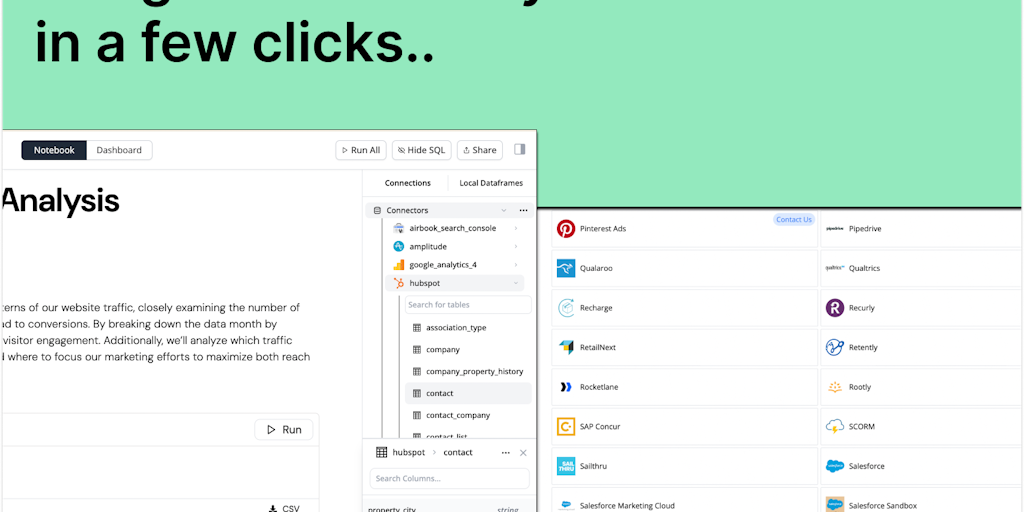
What is Airbook
Airbook is a data analysis and collaboration platform for cross-functional teams. Airbook aims to simplify data analysis by pulling data from multiple sources and eliminating the need for fragmented tools. Airbook's all-in-one platform allows teams to work together on data analysis projects, with features such as data visualization, reporting, and collaboration tools. Its goal is to provide a more efficient and streamlined way for teams to work with data.
How does Airbook work
Airbook operates as a unified data platform, consolidating data synchronization, analysis, dashboard creation, and growth campaign activation. It connects to various sources like HubSpot, Stripe and Snowflake, cleaning and preparing data for analysis. Users can explore data, whether using SQL or no-code tools, build dashboards, and collaborate in real-time. The platform offers integrations for activating data within growth tools. Airbook emphasizes affordability compared to traditional data stacks. It is not related to any Macbook, Macbook Air, or Macbook Pro product lines.
Benefits of Airbook
Airbook is a data platform designed to streamline analytics for startups. Unlike complex traditional data stacks, Airbook lets you sync data from sources like HubSpot, Stripe, and Snowflake, create dashboards, and activate growth campaigns, all within minutes. With Airbook, you gain the ability to build insights without messy pipelines, saving time and resources. Its native connectors to various business apps facilitate seamless data integration, promoting collaborative, data-driven decision-making. Try Airbook today and see how it can transform your startup's data strategy.
Pros and Cons of Airbook
Pros
- Connects to multiple data sources easily.
- Offers both SQL and no-code functionalities.
- Simplifies data analysis with user-friendly interface.
- Provides a collaborative workspace for data insights.
- Integrates data from various business applications.
Cons
- Lacks specific details on limitations.
- No pricing information easily available.
- Limited information on advanced features.
- Relies heavily on customer testimonials for validation.
- No explicit mention of offline capabilities.
