
壁響 FAQs
壁響 offers over 10000 free HD 4K computer and mobile wallpapers, updated daily with various resolutions for stunning screens.

FAQs of 壁響
What is 壁響?
壁響 is a website that provides a curated collection of desktop and mobile wallpapers, offering users a variety of high-definition images to personalize their devices. The platform categorizes wallpapers by theme, such as landscapes, anime, games, and more.
What kind of wallpapers does 壁響 offer?
壁響 offers both computer and mobile wallpapers in a variety of categories including Scenery, Anime, Games, Art, Animals, Cars, Technology, Holidays, Beauty, Fresh, Sports, Celebrities and other categories, providing a wide range of options for users to customize their devices.
How can I create a custom wallpaper on 壁響?
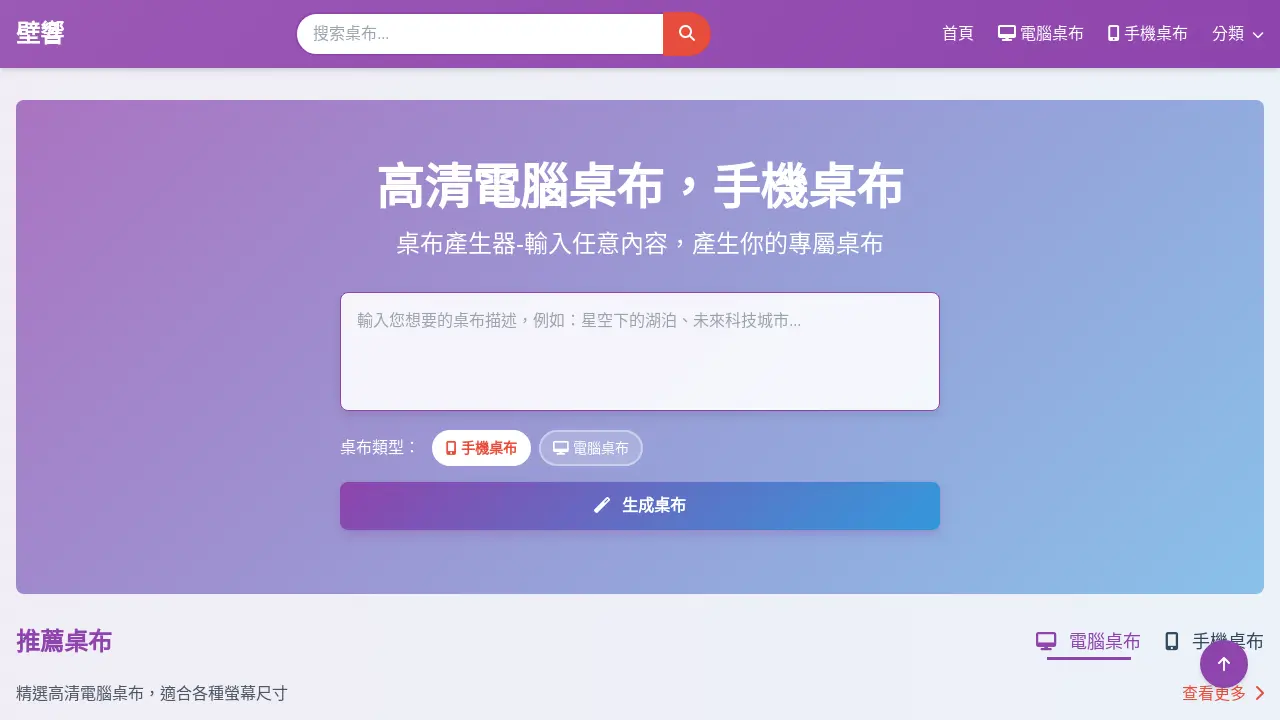
壁響 provides a wallpaper generator where users can input custom text or content to create their own personalized wallpapers for both desktop and mobile devices. This tool allows for unique customization to suit individual preferences.
How often are new wallpapers added to 壁響?
壁響 regularly updates its collection with the latest high-definition wallpapers for both computers and mobile phones. Users can check the "Latest Wallpapers" section to discover newly uploaded images across various categories.
What are the terms of use and privacy policy for using 壁響?
The terms of use and privacy policy for using 壁響 can be found on the website. Users are encouraged to review these documents to understand the guidelines and conditions associated with using the platform and its services.
How to use 壁響
壁響 (WallEcho) is a website dedicated to providing high-definition wallpapers for both computer and mobile phone devices. Users can browse diverse categories or generate custom wallpapers.
First, access the 壁響 website. Select between "電腦桌布" (computer wallpaper) or "手機桌布" (mobile wallpaper) based on your device.
Browse available wallpapers by category, like "風景" (scenery), "動漫" (anime), or "美女" (beauty). Use the navigation to find a preferred category.
Alternatively, use the "桌布產生器" (wallpaper generator). Input custom text and select the desired wallpaper type: computer or phone.
For generated wallpapers, preview the output. If satisfied, download the image. Otherwise, regenerate or re-enter the text.
For existing wallpapers, click on the image to view details. Then, download the wallpaper in a suitable resolution for your device's screen.