
VerifiedDR FAQs
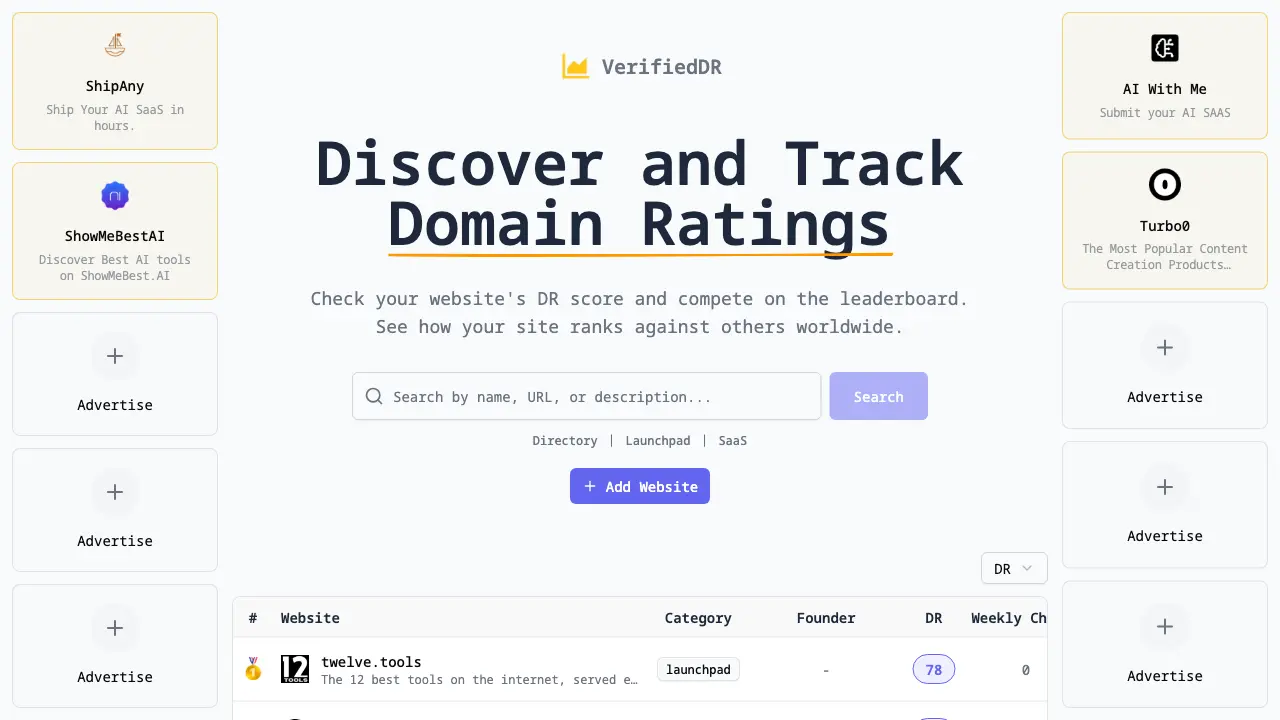
VerifiedDR is a website that lets you view your Domain Rating, compare it with other sites, and track weekly changes to boost your SEO performance.

FAQs of VerifiedDR
What is VerifiedDR?
VerifiedDR is an online platform that allows users to check and compare the Domain Rating (DR) of their own websites against a curated list of competing domains. The service is built on data from Ahrefs and is presented in a directory format, enabling easy tracking of DR scores and leaderboard rankings.
How does VerifiedDR calculate a website's Domain Rating?
VerifiedDR obtains its DR values from the Ahrefs API, which evaluates backlink profiles, referring domains, and other SEO metrics to produce a numeric rating. The platform refreshes this data continuously, so users can view both current and historical changes for any listed site.
Can I submit my own website to VerifiedDR for rating?
Yes. Users can add their website to VerifiedDR by navigating to the “Add Website” button on the dashboard. Once submitted, the site receives a DR score that is updated automatically, and it becomes eligible to appear on the public leaderboard for comparison with other domains.
Is there a cost associated with using VerifiedDR’s features?
VerifiedDR offers free access to basic DR visibility and leaderboard participation. Advanced features, such as deeper analytics or priority placement, may require a paid subscription, but the core functionality for checking and submitting sites remains openly accessible without charge.
What additional directories or tools are linked on VerifiedDR’s platform?
VerifiedDR integrates with several related directories, including AI‑focused listings, launchpad categories, and tool hubs. These connections help users discover complementary services such as AI tool directories, startup submission portals, and web‑scraping utilities that complement the DR tracking experience.
How to use VerifiedDR
- Access VerifiedDR (verified dr) by navigating to the URL, then locate the search field designated for entering your website’s domain to begin the rating assessment.
- Input your domain, select any optional filters, and submit the request to retrieve the corresponding Domain Rating and associated metrics from the backend database.
- Review the displayed results, noting your current DR score, weekly change indicator, and positional ranking within the leaderboard to gauge competitive standing.
- Compare your score against listed competitors, analyze relative performance trends, and identify gaps that require targeted SEO improvements or backlink acquisition efforts.
- Apply derived insights to refine your content strategy, enhance link‑building campaigns, and monitor subsequent DR updates to continuously improve search visibility.
