
FluentPal FAQs
FluentPal helps you become ten times better at speaking any language! Chat with AI teachers who guide you in real-time, grow your vocabulary with fun interactive lessons, and boost your grammar skills with simple, effective exercises.

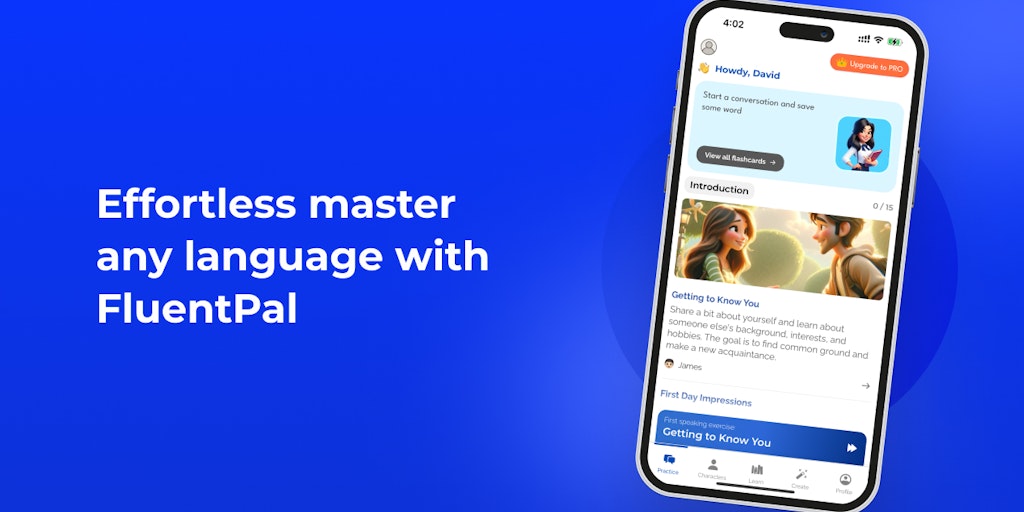
FAQs of FluentPal
What is FluentPal?
FluentPal is a language learning app that uses AI to help you learn to speak, read, and write a new language. It's like having your own personal language tutor right in your pocket!
How does FluentPal work?
FluentPal uses AI to create a personalized learning experience for each user. You'll start by taking a quick assessment to determine your current language level. Then, the AI will recommend lessons and exercises that are tailored to your needs. You can practice speaking with AI teachers who can give you real-time feedback, expand your vocabulary with interactive lessons, and improve your grammar with easy-to-follow exercises.
What makes FluentPal different from other language learning apps?
FluentPal's AI technology makes it possible to have more personalized learning experience than other language learning apps. It's like having a tutor who knows exactly what you need to learn and how to help you learn it!
How can I get started with FluentPal?
You can download the FluentPal app from the App Store or Google Play. The app is available for both Android and iOS devices. Just create an account and start learning!
What languages does FluentPal support?
FluentPal currently supports English, Spanish, French, German, Italian, Portuguese, Russian, Chinese, Japanese, and Korean. We are always adding new languages, so check back often!
I have a question that's not answered here. How can I get help?
You can contact us directly through our website or on our Discord server! We're always happy to help. 😁
How to use FluentPal
FluentPal is an AI-powered language learning application designed to simulate immersion through interactive conversations and role-playing. It supports multiple languages and adapts to various skill levels.
Download and install the FluentPal app from the App Store or Google Play Store, depending on your device. Ensure you have a stable internet connection.
Launch the FluentPal app and create an account or log in if you already have one. The app may ask for language preferences initially.
Explore the available languages, including English, Chinese, Japanese, Korean, Spanish, French, and German. Select the language you wish to learn.
Choose a learning mode: role-playing scenarios or conversations with AI celebrities like Elon or Messi. FluentPal provides varied practice options.
For beginners, start with basic communication skills lessons, numbering 90 in total. This establishes a solid foundation for more advanced interactions.
Engage in conversations, utilizing suggested responses provided by FluentPal if needed. Translate words or sentences into your native language for clarity.
Adjust the AI's conversation level to match your proficiency, choosing from Beginner, Advanced, or IELTS (for English). This ensures appropriate challenge.
Pay attention to corrections provided by FluentPal during conversations to refine your language skills. This instant feedback enhances the learning process.
Utilize the custom conversation feature to independently practice specific scenarios and vocabulary relevant to your personal learning goals within FluentPal.
Monitor your progress and adjust your learning strategy based on your performance and comfort level. Regular, consistent engagement optimizes learning outcomes.
