
Domain Rank App FAQs
This application analyzes domain authority, tracks search rankings, and provides SEO insights for boosting organic traffic through detailed metrics and competitor analysis.

FAQs of Domain Rank App
What is Domain Rank App?
Domain Rank App is a tool designed to help users analyze and improve their domain's search engine ranking and ultimately gain more organic traffic. It provides detailed metrics about domain performance, traffic sources, top keywords, and regional traffic distribution, making it easier to gauge a website's overall online presence. Users can also access a curated list of AI navigation sites.
What information does Domain Rank App provide about a domain?
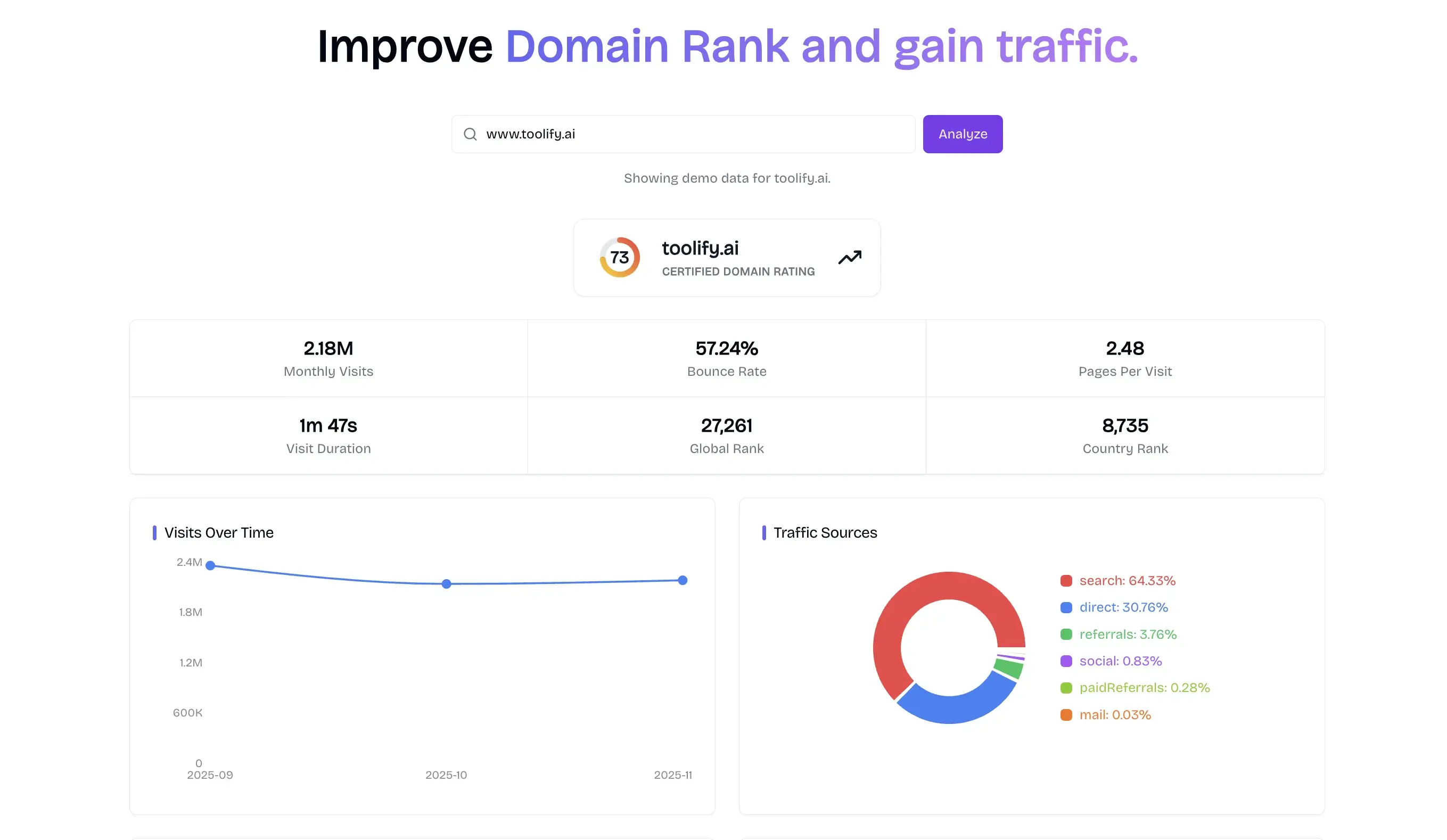
The Domain Rank App provides a comprehensive overview of a domain's performance. This includes a certified domain rating, monthly visits, bounce rate, pages per visit, visit duration, global rank, and country rank. Additionally, it breaks down traffic sources, identifies top keywords with their respective traffic, volume, and CPC, and shows top regions contributing to traffic. This data helps users how to check domain ranking effectively.
How often is the domain ranking data updated?
While the specific update frequency for individual domain ranking data is not explicitly stated, the "AI Navigation Sites" list indicates an update timestamp, suggesting regular maintenance of the platform's data. For precise, real-time insights on "rank my Google domain" and "Google for domain ranking", users should log in.
Can I analyze competitor domains using Domain Rank App?
Yes, the Domain Rank App allows users to analyze competitor domains. By logging in, users can access detailed performance metrics for any domain, enabling them to compare their own site's performance against competitors. This feature is crucial for understanding market positioning and developing competitive strategies for domain ranking.
What traffic metrics can I track with Domain Rank App?
With Domain Rank App, users can track various critical traffic metrics. These include monthly visits, bounce rate, pages per visit, and visit duration. The app also details traffic sources (search, direct, referrals, social, paid referrals, mail) and identifies the top keywords driving traffic. This comprehensive data helps in understanding visitor engagement and how to improve traffic effectively.
How can I improve my domain's ranking using the insights from Domain Rank App?
To improve your domain's ranking, the Domain Rank App provides insights into areas such as top keywords and traffic sources. By understanding which keywords drive traffic, you can optimize content. Analyzing traffic sources helps identify strong and weak channels for promotion. The app's data also allows for competitor analysis to inform strategy, helping you to "improve domain rank and gain traffic."
Is the domain analysis free to use?
The Domain Rank App offers a demo data view (e.g., for toolify.ai) without requiring a login, suggesting some level of free access or a trial. However, to "view more data" and gain full access to all features, including in-depth analysis and potentially "app store download rank" information, users need to sign in. This indicates that while some information might be freely accessible, comprehensive use requires an account or subscription.
How do backlinks affect my domain rank?
The provided context for Domain Rank App does not explicitly detail how backlinks affect domain rank within its specific methodology. However, in general SEO principles, backlinks are crucial for establishing domain authority (DA) and improving search engine rankings. A strong backlink profile signals trustworthiness and relevance to search engines, which would naturally contribute to a higher domain rank.
Can I export the analysis reports from Domain Rank App?
The available information does not explicitly state whether analysis reports can be exported. To determine if this feature is available, users would typically need to sign in to the Domain Rank App and explore the functionalities offered within the user interface. Such functionality is often available for premium or logged-in users.
How do I submit my website to get backlinks through Domain Rank App?
The Domain Rank App itself is an analysis tool and does not directly facilitate submitting your website to gain backlinks. However, the app lists "AI Navigation Sites" and other directories, some of which allow submissions (e.g., "Submitaitools," "findly.tools/submit"). Users can utilize this list to identify potential platforms where they can submit their website to acquire valuable backlinks.
How to use Domain Rank App
- Open domainrank.app in a browser and review the landing page displaying metrics for toolify.ai, which include global rank, and keyword insights. you might wonder if there is a ranking app.
- Click Sign In to access the full domain ranking dashboard; new users can register via the provided form to confirm email and create password.
- After authentication, input the target domain in the “Domain Rank Checker Free” field and press enter to launch the analysis, checking how to rank my google domain.
- The app retrieves domain metrics: certified rating, monthly visits, bounce rate, pages per visit, global and country rank, and app store download rank for the mobile version.
- Review “Visits Over Time” and “Traffic Sources” graphs to understand traffic trends and discover primary referral channels, and to inform future marketing strategies.
- Examine the “Top Keywords” table to identify high-volume terms and compare CPC values for paid search opportunities and to optimize ad campaigns.
- Interpret the global rank: a lower numeric position indicates stronger domain authority and higher visibility in Google search results, acting as a domain rank appraiser for SEO strategy.
- Use the comparative feature to input competitor domains, then assess relative performance and identify gaps for improvement, and to prioritize optimization tasks.
- Export the analysis via CSV or PDF options for reporting and share findings with stakeholders to drive data‑driven decisions, and to streamline communication.
- Log out securely after sessions by clicking the username avatar and selecting “Sign Out” to protect access credentials and ensure your account remains secure.
