
Depth FAQs
Depth analyzes user behavior and provides detailed reports to help you understand how users are using your product. Ship impactful updates faster and reduce second-guessing user needs with Depth.

FAQs of Depth
What is Depth?
Depth is an AI product manager that analyzes user sessions from your product to understand how users interact with it. It helps you improve your product by identifying user pain points and opportunities for growth.
How does Depth work?
Depth uses AI to analyze user behavior data from your product, such as page views, clicks, and scroll depth. It then uses this data to generate insights that can help you improve your product.
What are some of the benefits of using Depth?
Depth can help you:
- Identify user pain points: Depth can identify areas of your product where users are struggling or frustrated. This information can help you improve your product's usability and user experience.
- Discover opportunities for growth: Depth can help you identify areas of your product where users are engaged and interested. This information can help you prioritize your product development efforts and focus on features that will have the biggest impact on your business.
- Make data-driven decisions: Depth provides you with actionable insights that can help you make informed decisions about your product. This can help you avoid wasting time and resources on features that aren't valuable to your users.
How is Depth different from other product analytics tools?
Depth is unique because it uses AI to analyze user behavior data and generate insights that are tailored to your specific product. It also provides a holistic view of your product, taking into account all aspects of the user experience, from navigation to engagement.
Who should use Depth?
Depth is a good fit for product teams that are looking to:
- Improve their product's usability and user experience
- Make data-driven decisions about their product roadmap
- Gain a deeper understanding of how their users interact with their product
How can I get started with Depth?
You can sign up for a free trial of Depth on their website. You can also contact their sales team if you have any questions.
How to use Depth
- Initiate by scheduling a demo or subscribing to Depth to begin automating your product analytics and user feedback analysis.
- Allow Depth to capture your product's analytics automatically, eliminating the need for manual tag setups and funnel configurations.
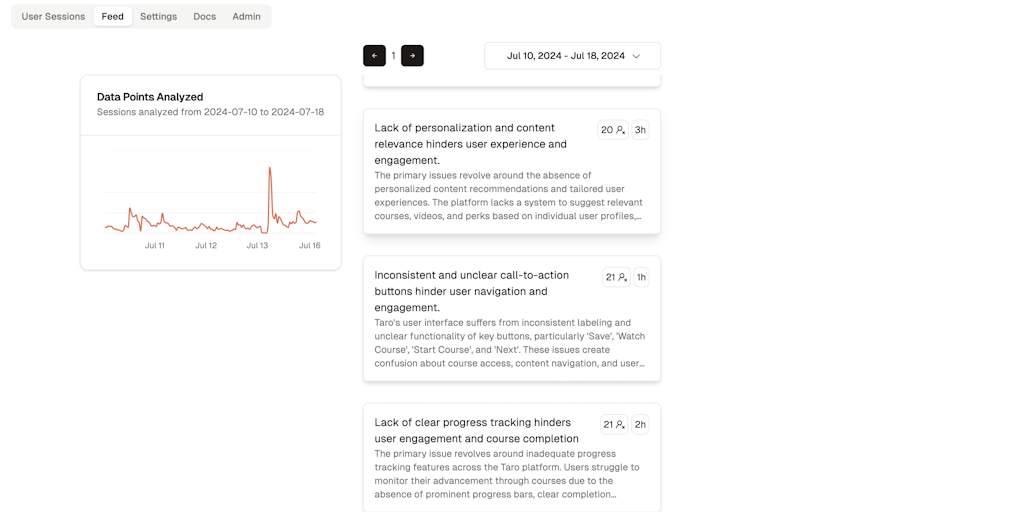
- Review the actionable items and key metrics provided by Depth, which are presented in a simplified feed for easy understanding.
- Identify user pain points and UX improvements suggested by Depth's analysis of user sessions and feedback.
- Utilize Depth to optimize membership plans by gaining insights into user understanding and engagement with displayed perks.
- Address video playback issues identified by Depth, such as broken links and loading problems, to enhance content consumption.
- Examine value proposition display and simplify discount details based on Depth’s recommendations for pricing page improvements.
- Monitor automated reports, such as Checkout Flow Completions, to track trends and overall performance over specific periods.
- Integrate Depth’s insights into product management tools like Linear, Jira, Asana, and Notion for faster development cycles.
